Features
Explore all the features of the MojCV CV and cover letter builder.
Free and private
Free to create, edit, and download
Creating a CV, editing it, and downloading the PDF cost nothing. There is no subscription and no premium tier.
Unlimited PDF and Word downloads
Download your CV as a PDF or an editable Word file as many times as you want, and download it again after every edit.
No watermark
Every PDF and Word file contains only your content. There is no MojCV logo, footer text, or watermark on any page.
No account or signup
Enter a name and choose a language, and the editor opens right away. No registration, password, or email verification.
Private link, edit anywhere
Your CV gets a unique private link. Open it on any phone, tablet, or computer to keep editing. Save the link, because it is the only way back.
Private CVs
No account profile is attached to your CV, and you can delete a CV whenever you want.
Build your CV
33 ATS-friendly templates
Clean formatting with real, selectable text that applicant tracking systems can read. Switch templates anytime without losing your content.
Automatic formatting
Spacing, fonts, and page layout adjust as you type, so no design skills are needed.
Live preview
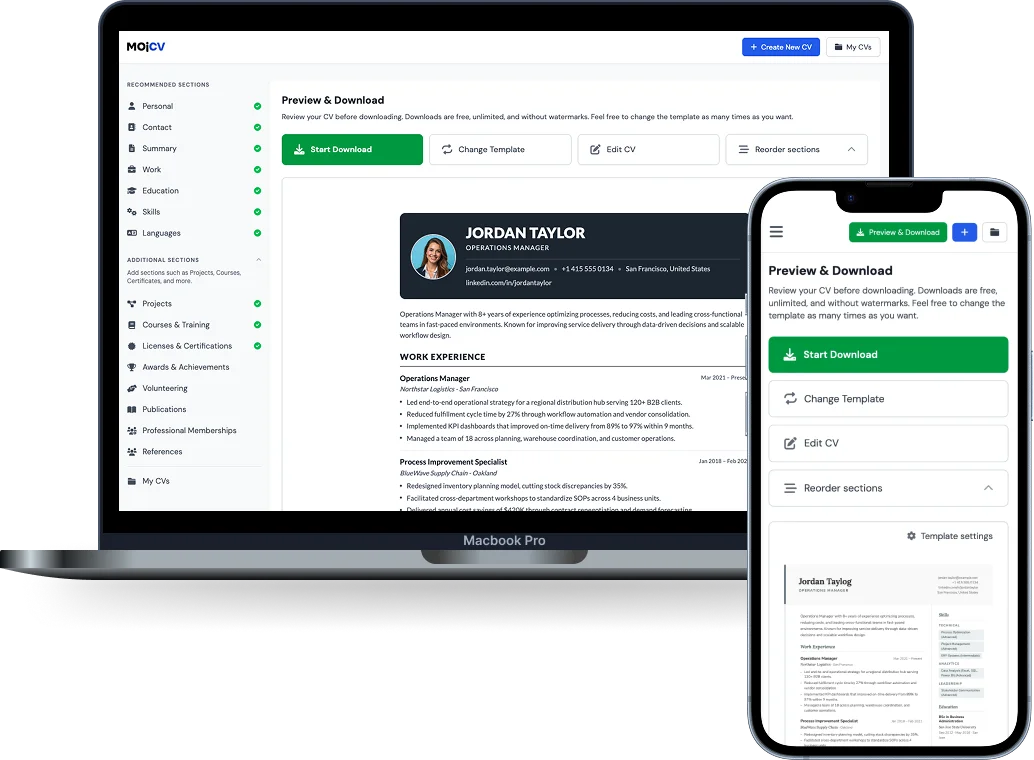
Watch your CV update as you type, and check it before you download.
15 CV sections
From work experience and education to projects, certifications, and volunteering. Empty sections never appear in your PDF.
Reorder sections
Move sections up or down to put your strongest first.
Rename sections
Change any section heading to fit the role.
Several CVs, one link
Duplicate a CV, rename it, and tailor a version for each application. All your CVs stay under the same private link.
Start from an example
Open a finished CV example in the editor with one click and change it to fit you.
Profile photo
Add a photo in JPG, PNG, or WebP up to 20 MB, or leave it out.
Date formats
Choose how dates appear: automatic, text, slash, or dot style.
Optional personal details
Add a driver's license, date of birth, or nationality only if you want them on your CV.
Local consent and place and date lines
Add an optional data-processing consent text to Italian and Polish CVs, or a place, date, and name line to German CVs, when the editor and the CV are in the same language. In the Polish editor it also works for English CVs.
Language proficiency levels
Show each language you speak with a standard level or your own wording.
Works on mobile
Create and edit your CV on a phone or tablet. There is no app to install.
Cover letters
Cover letter builder, with or without AI
Write your own cover letter, or let AI draft one from your CV and the job description. You get up to 3 AI drafts per CV and can edit each one.
Four styles, three formats
Choose classic, modern, minimal, or professional. Pick the Universal, France, or Germany format, with a signature image option for German, Austrian, and Swiss letters.
Duplicate and tailor
Duplicate a letter and adjust it for each job. Download every letter as a free PDF.
Who MojCV is for
Students
Create a first CV for internships, graduate roles, or part-time jobs without learning a complicated builder.
First-time job seekers
Lead with your skills, education, and projects when you have no work experience yet.
Professionals
Update an old CV quickly before applying for a better role or making a career move.
Freelancers and contractors
Show project work, client experience, and flexible career history clearly.
Career changers
Reorganize your experience for a new industry without rebuilding your CV from scratch.
Urgent applications
Finish a clean, professional CV quickly when an opportunity appears and you need a PDF today.
Never pay to download your CV again.
Create your CV, download the PDF instantly, and apply.
Free forever · No registration · Unlimited downloads