
Simple CV Templates
Simple CV templates for clear, straightforward applications. Minimal layouts keep focus on your experience and are free to download as PDF. No account required.
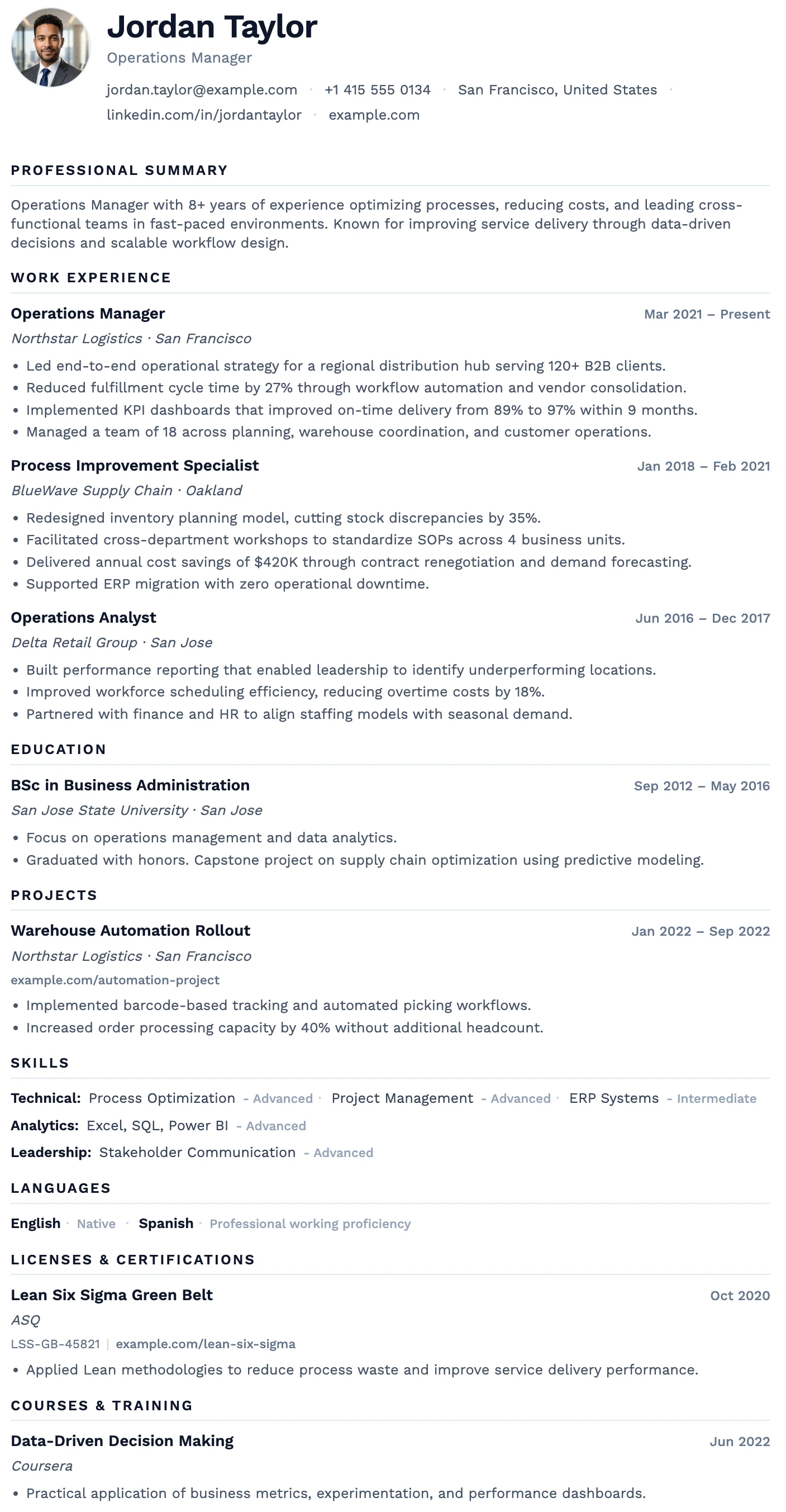
Oslo
FreeThe Oslo template has a quiet, understated layout, soft typography, and just enough structure to keep everything clear and easy to read.
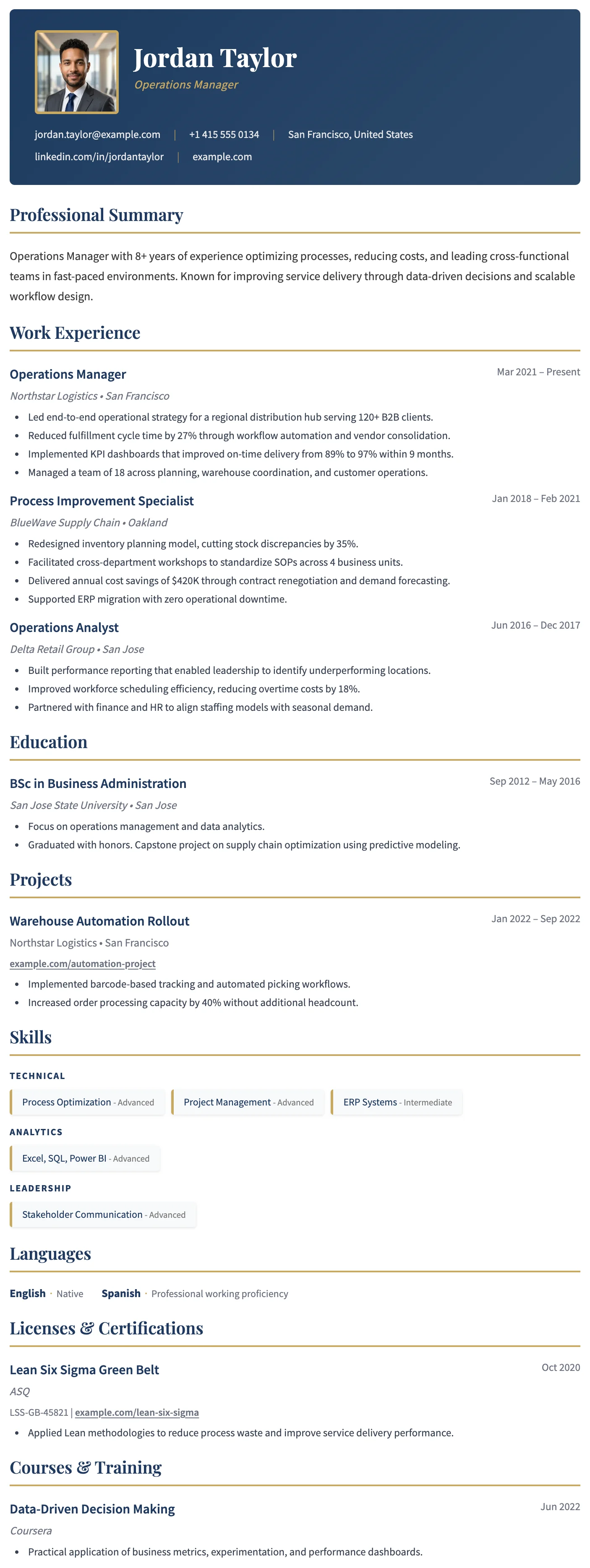
Dublin
FreeThe Dublin template has a dark header, warm gold accent headings, and a refined single-column layout that projects confidence and credibility.
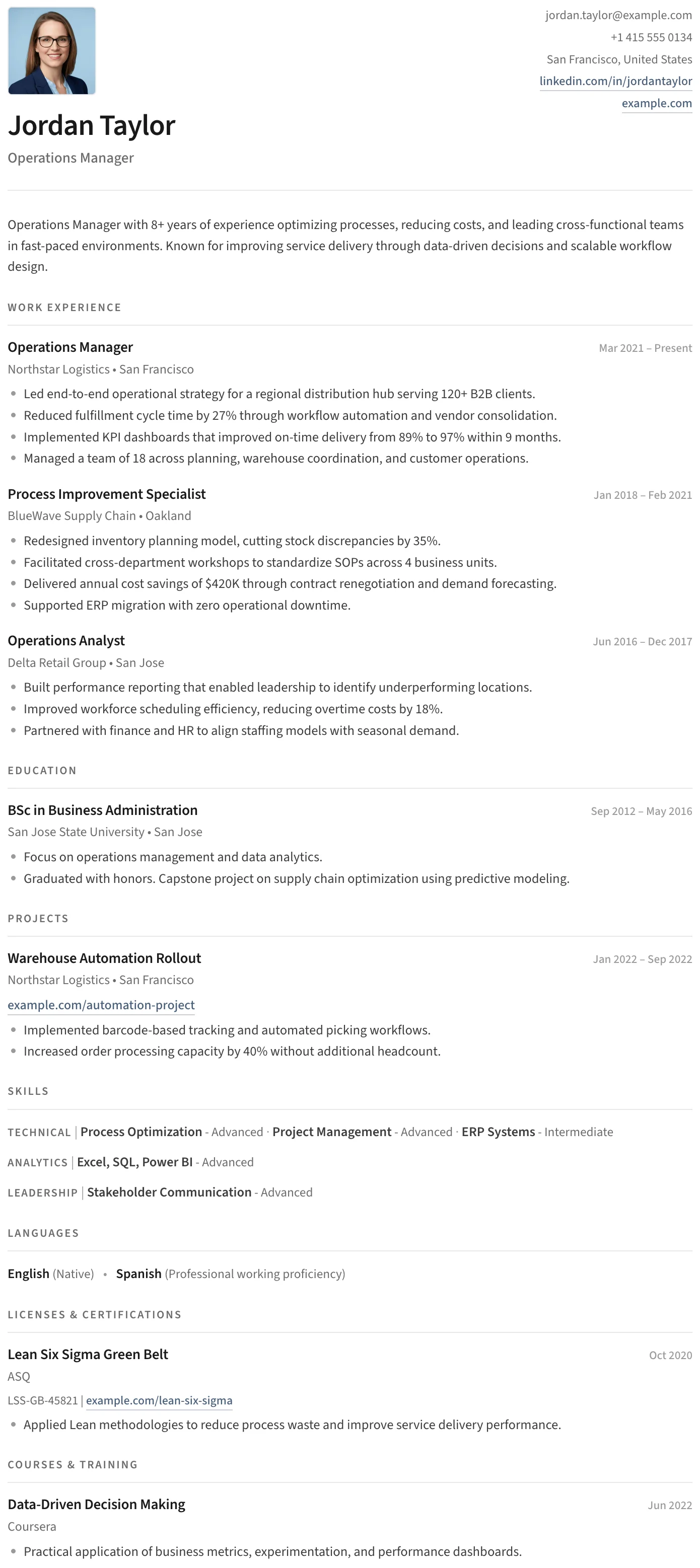
Split
FreeThe Split template has a clean split header, minimal section styling, and an uncluttered layout that keeps the focus entirely on your content.
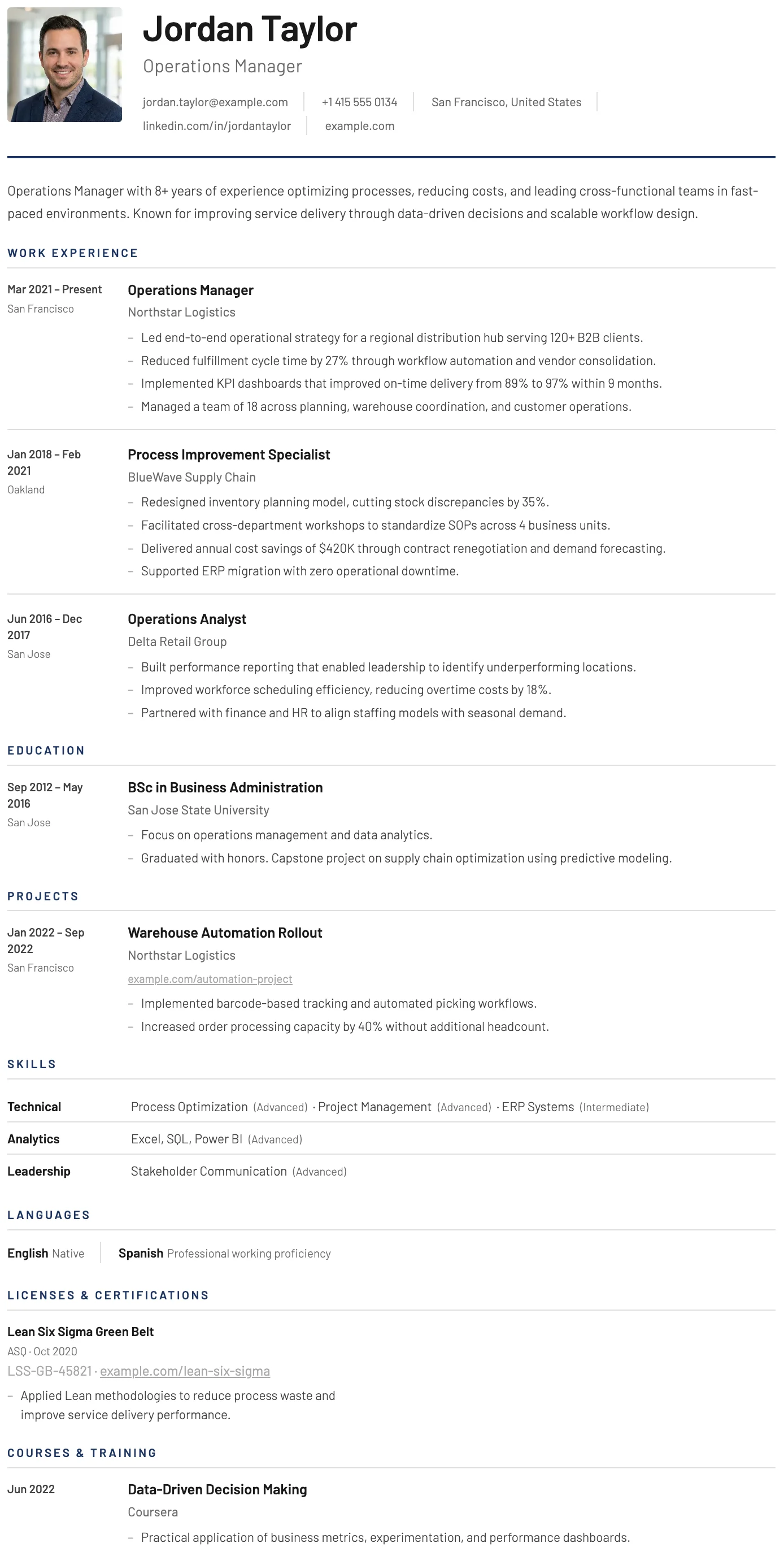
York
FreeThe York template has a dedicated date and location column that creates a clear timeline structure, making career progression easy to follow at a glance.
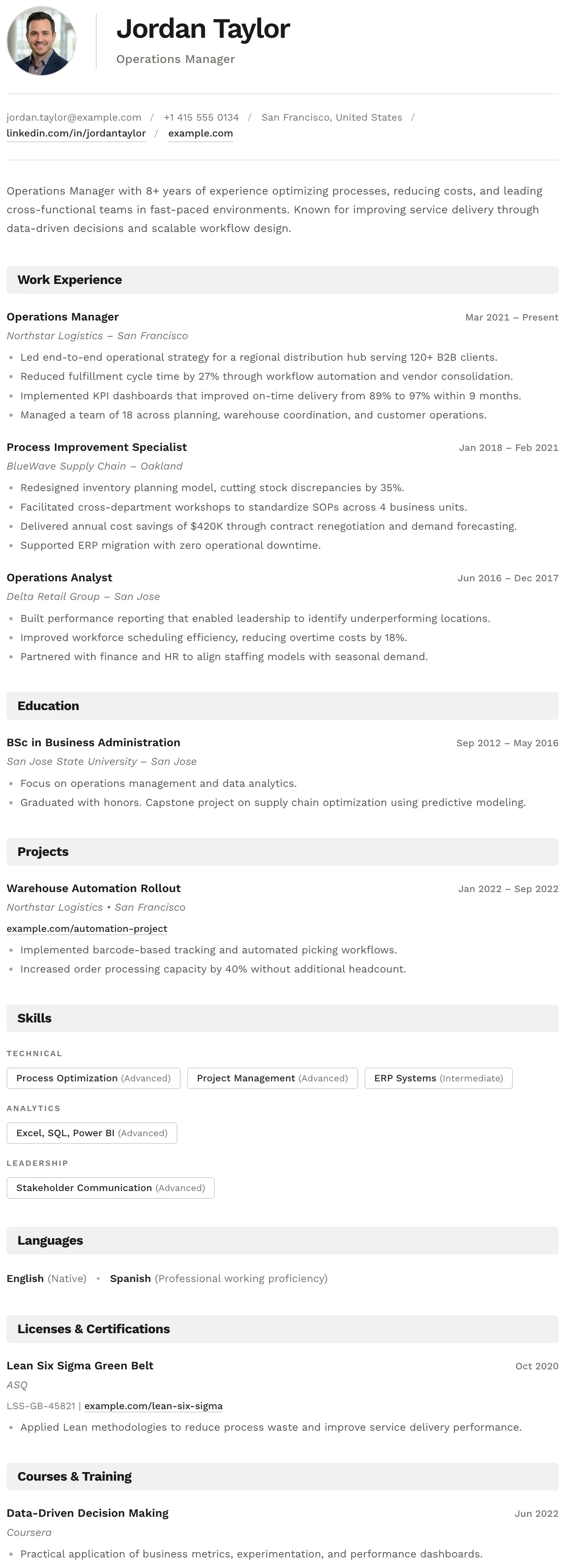
Bern
FreeThe Bern template has a distinctive shaded band on every section heading, creating a well-structured and easy-to-navigate layout with a modern finish.
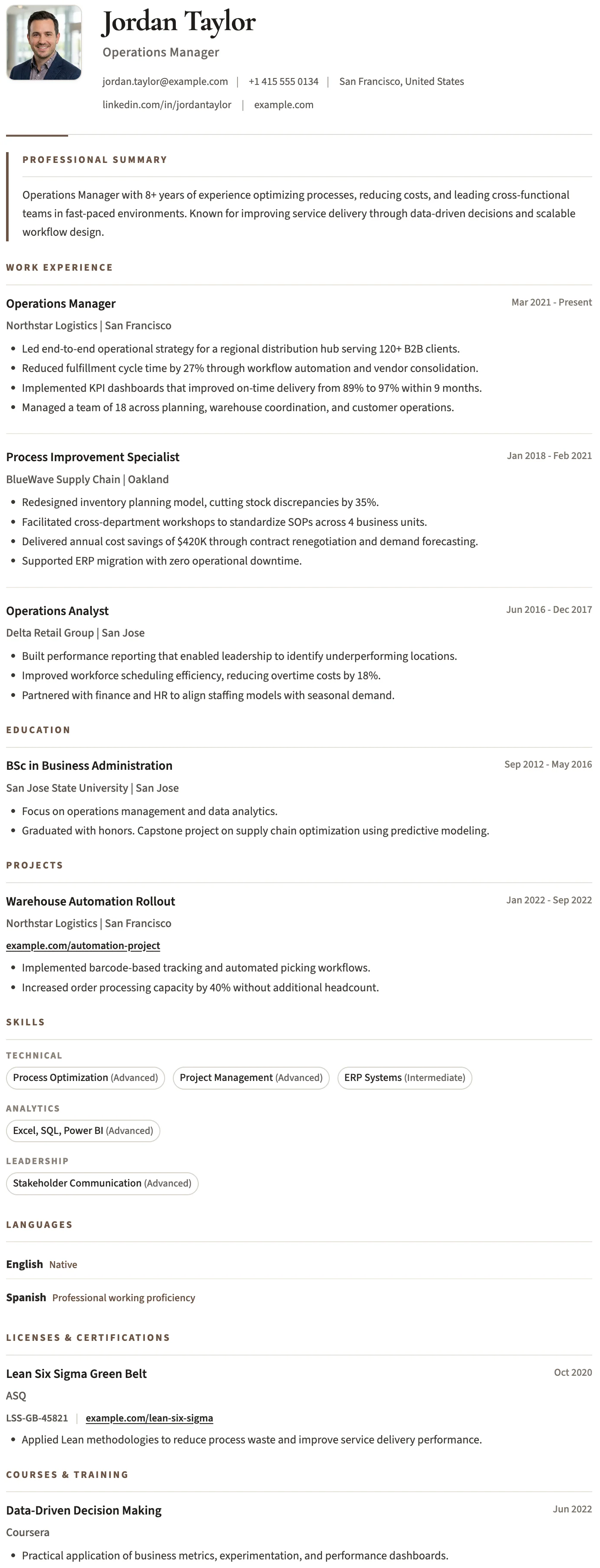
Bristol
FreeThe Bristol template has a clean black and white layout, structured skill tags, and a no-frills design that keeps the focus entirely on your content.
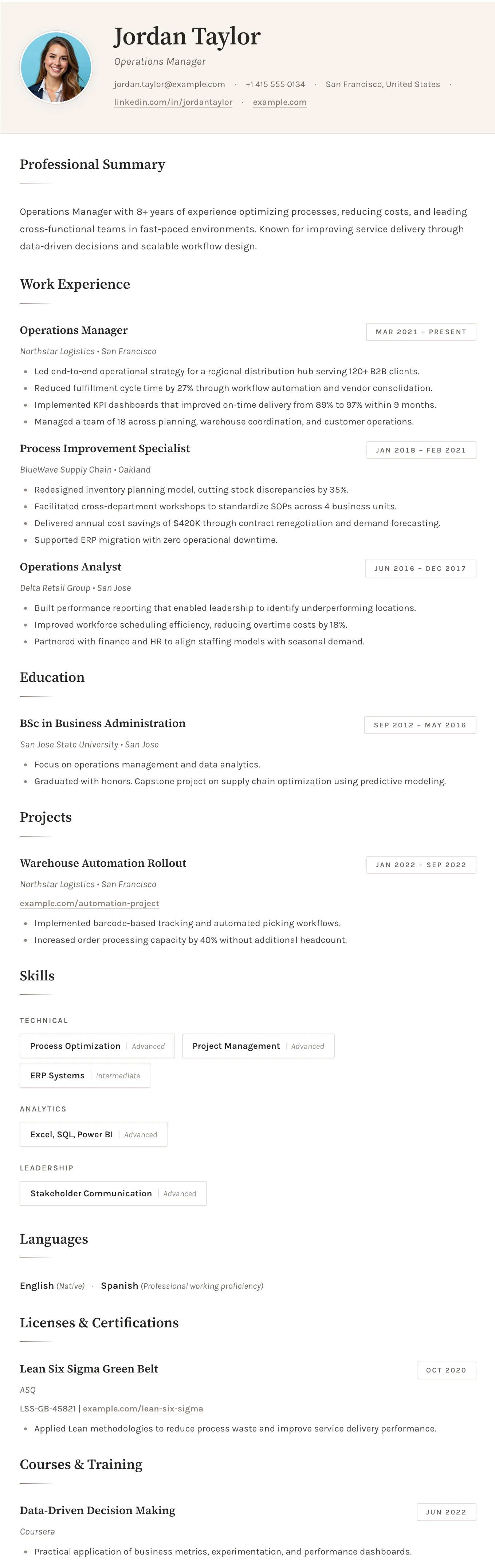
Sofia
FreeThe Sofia template has a warm off-white background, refined typography, and subtle accent details that create a sophisticated and understated layout.
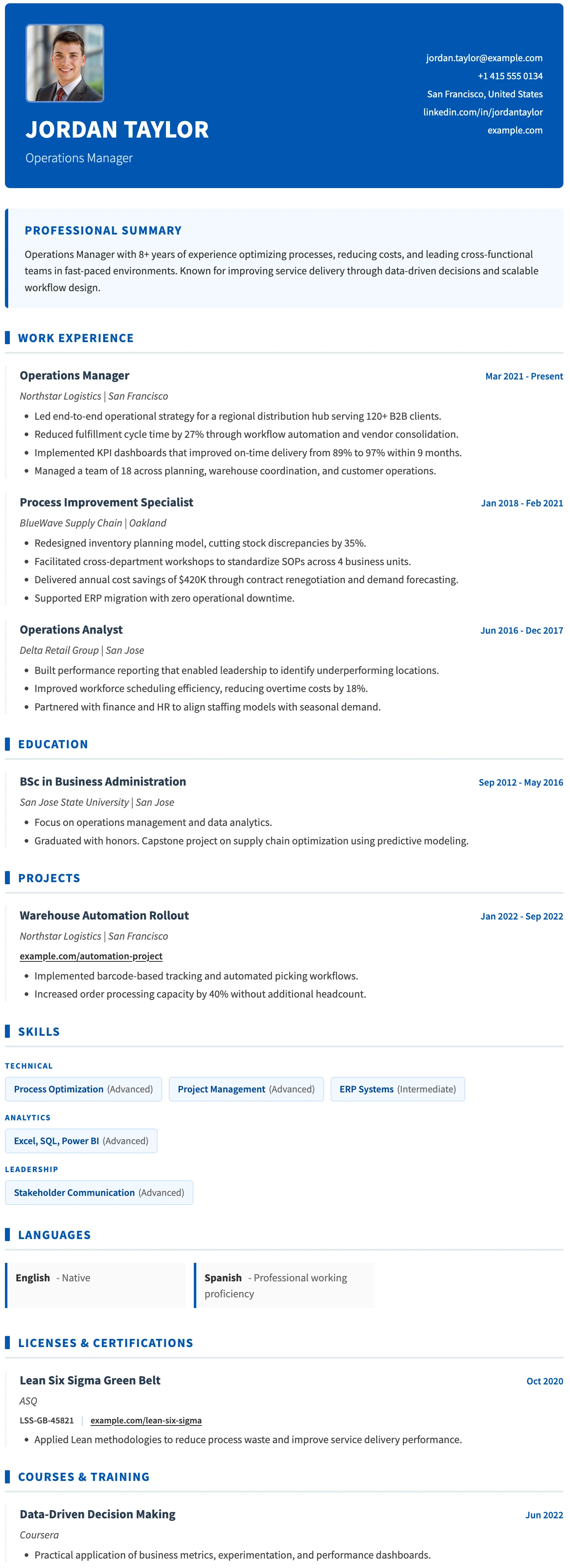
Basel
FreeThe Basel template has a strong blue header, consistent blue accent details throughout, and a clear structured layout built for medical and healthcare professionals.
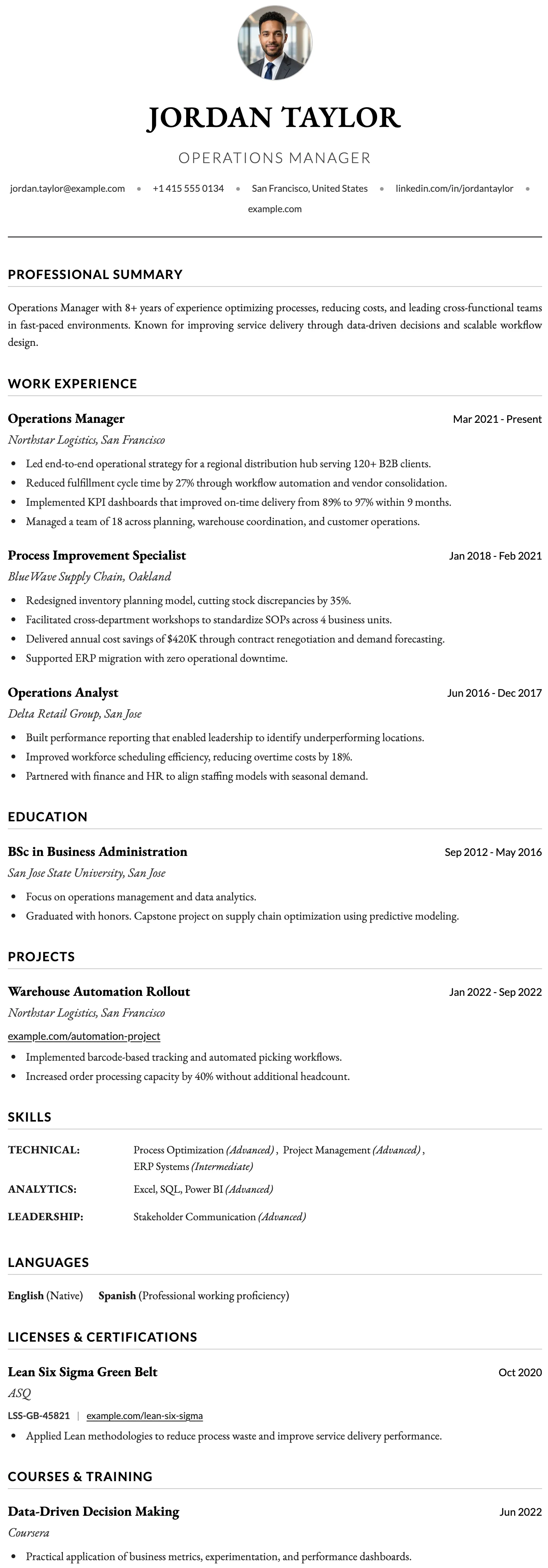
Oxford
FreeThe Oxford template has a clean centered header, generous spacing, and a content-first layout designed to accommodate the length and depth of an academic career.
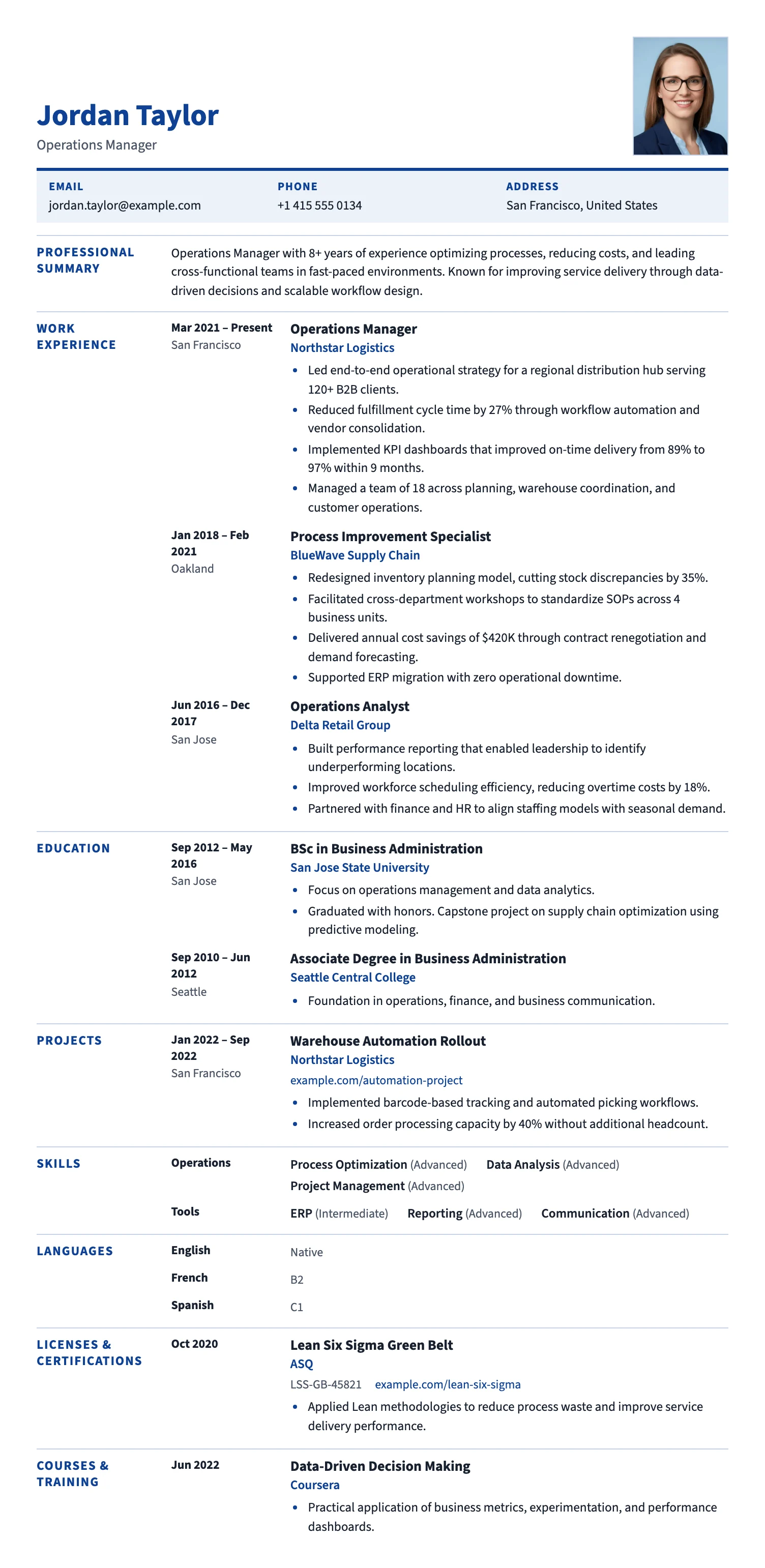
Brussels
FreeThe Brussels template follows the familiar European CV format: section labels on the left, content on the right, and a clean blue accent. A clear, recruiter-friendly layout for EU applications.
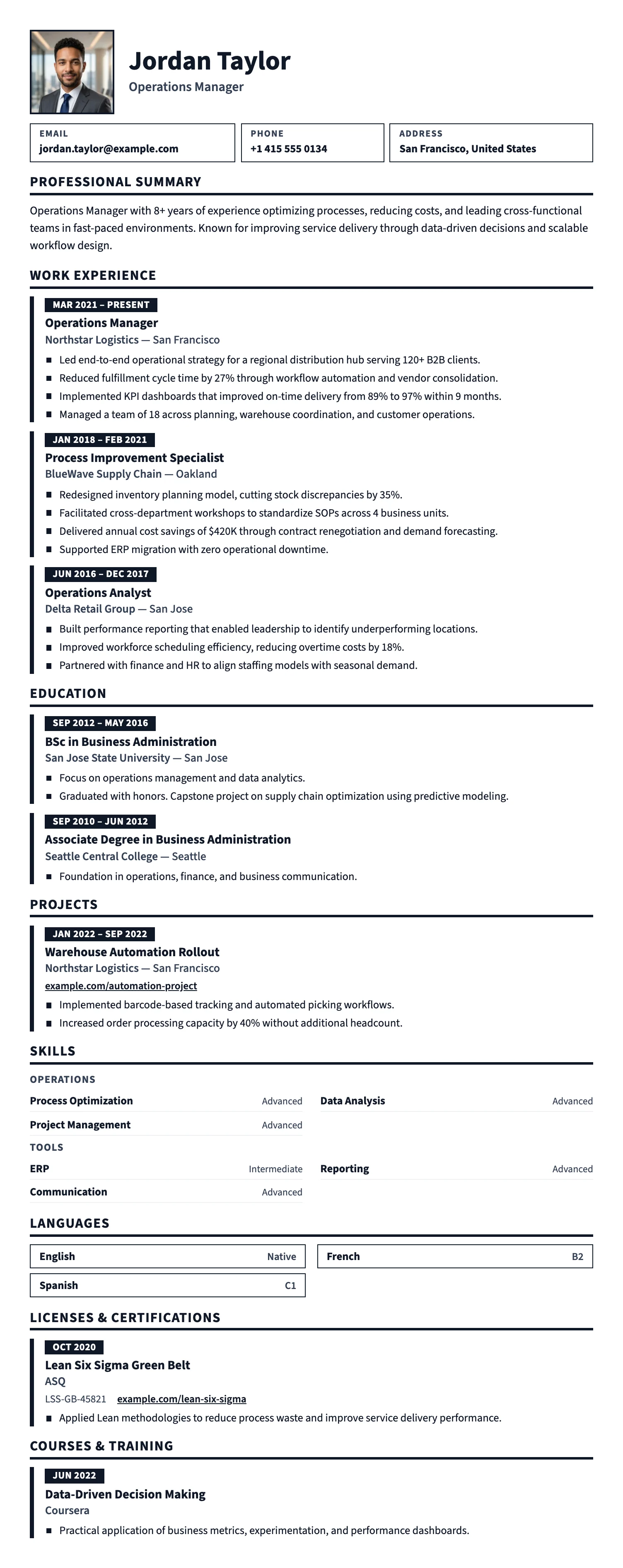
Prague
FreeThe Prague template uses large, high-contrast type, bold section bars, and generous spacing, so your CV is easy to read at a glance. Great for hospitality, retail, trades, logistics, and first jobs.
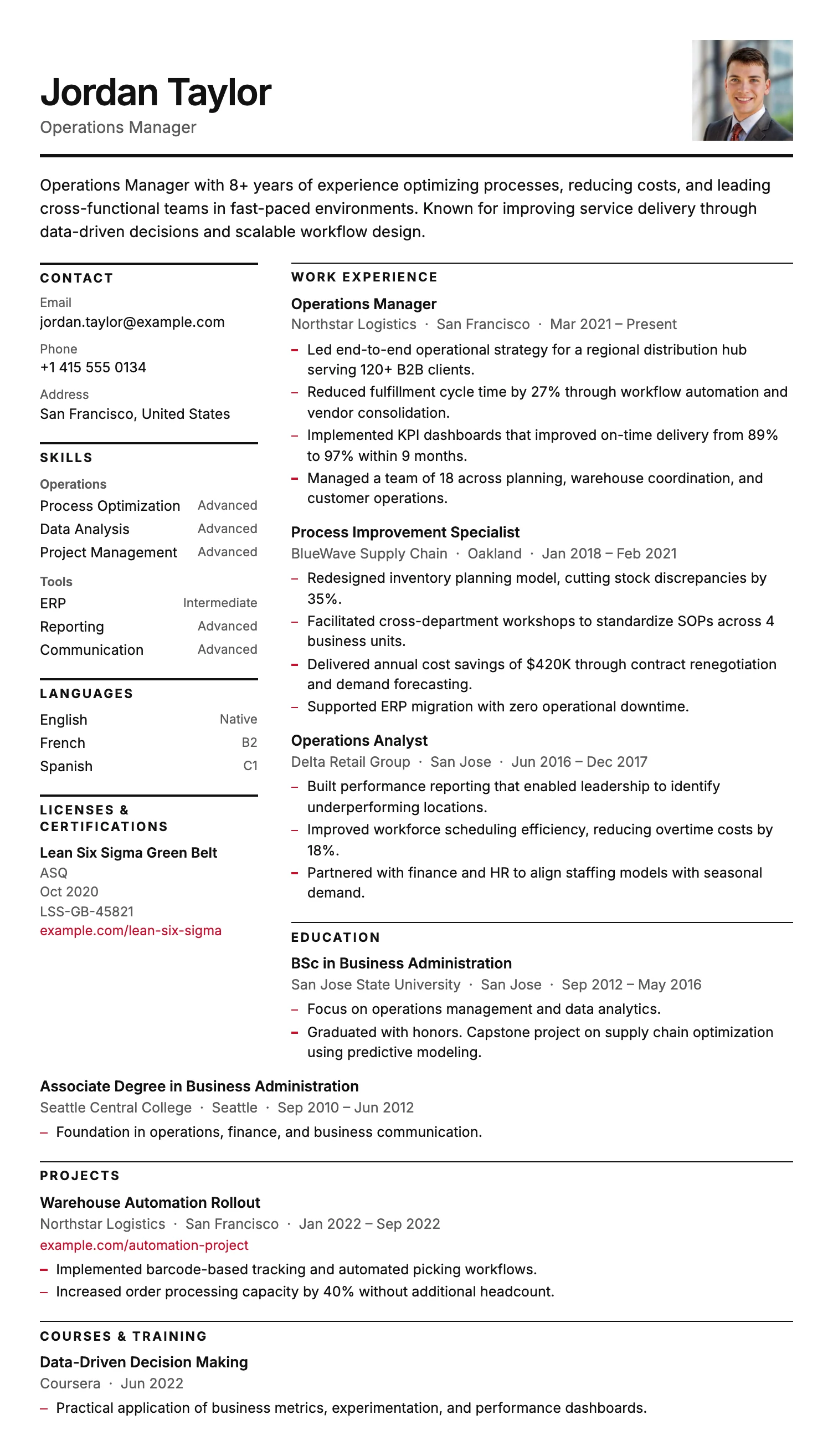
Stockholm
FreeThe Stockholm template is pure typography: a narrow label column, fine rules and generous whitespace, with no color bands or graphics. Clean, ink-friendly and highly ATS-compatible.
Oslo
FreeThe Oslo template has a quiet, understated layout, soft typography, and just enough structure to keep everything clear and easy to read.
Dublin
FreeThe Dublin template has a dark header, warm gold accent headings, and a refined single-column layout that projects confidence and credibility.
Split
FreeThe Split template has a clean split header, minimal section styling, and an uncluttered layout that keeps the focus entirely on your content.
York
FreeThe York template has a dedicated date and location column that creates a clear timeline structure, making career progression easy to follow at a glance.
Bern
FreeThe Bern template has a distinctive shaded band on every section heading, creating a well-structured and easy-to-navigate layout with a modern finish.
Bristol
FreeThe Bristol template has a clean black and white layout, structured skill tags, and a no-frills design that keeps the focus entirely on your content.
Sofia
FreeThe Sofia template has a warm off-white background, refined typography, and subtle accent details that create a sophisticated and understated layout.
Basel
FreeThe Basel template has a strong blue header, consistent blue accent details throughout, and a clear structured layout built for medical and healthcare professionals.
Oxford
FreeThe Oxford template has a clean centered header, generous spacing, and a content-first layout designed to accommodate the length and depth of an academic career.
Brussels
FreeThe Brussels template follows the familiar European CV format: section labels on the left, content on the right, and a clean blue accent. A clear, recruiter-friendly layout for EU applications.
Prague
FreeThe Prague template uses large, high-contrast type, bold section bars, and generous spacing, so your CV is easy to read at a glance. Great for hospitality, retail, trades, logistics, and first jobs.
Stockholm
FreeThe Stockholm template is pure typography: a narrow label column, fine rules and generous whitespace, with no color bands or graphics. Clean, ink-friendly and highly ATS-compatible.
Which simple CV template should you choose?
Maximum ATS reliability
Single-column layouts for online portals and applications where clean parsing matters most.
Office and administration
Structured, professional designs for office, support, and administrative roles.
Healthcare and education
Plain, easy-to-read layouts that keep focus on experience and credentials.
Why choose a simple CV template?
A simple CV template keeps the focus on your experience, skills, and qualifications. Clear section headings, consistent spacing, and readable typography make it easy for recruiters to scan.
Simple layouts are particularly useful for traditional industries, online applications, and applicants who want a straightforward document without decorative elements.
All MojCV simple templates can be customized and downloaded as a PDF for free. No account or subscription is required.
Create your CV for free
Add your details, customize your CV, and download the finished PDF when you are ready.
Free PDF download. No account. No credit card.