Used by 80,000+ job seekers every month
Create a CV on Your Phone
Create your CV or resume directly on your phone, without downloading anything. Fill in your details, pick a template, and download a clean PDF in minutes - free, no account required.
Start your CV on your phone
Enter your name and choose a language. The editor opens right away.
No app to install - works in your browser
Optimised for phones and tablets
100% free, no payment required
PDF saves directly to your phone
How to create your CV on your phone in 3 steps
Most users finish their CV in under 10 minutes from their smartphone. No formatting to manage, no account to create.
Open MojCV in your mobile browser
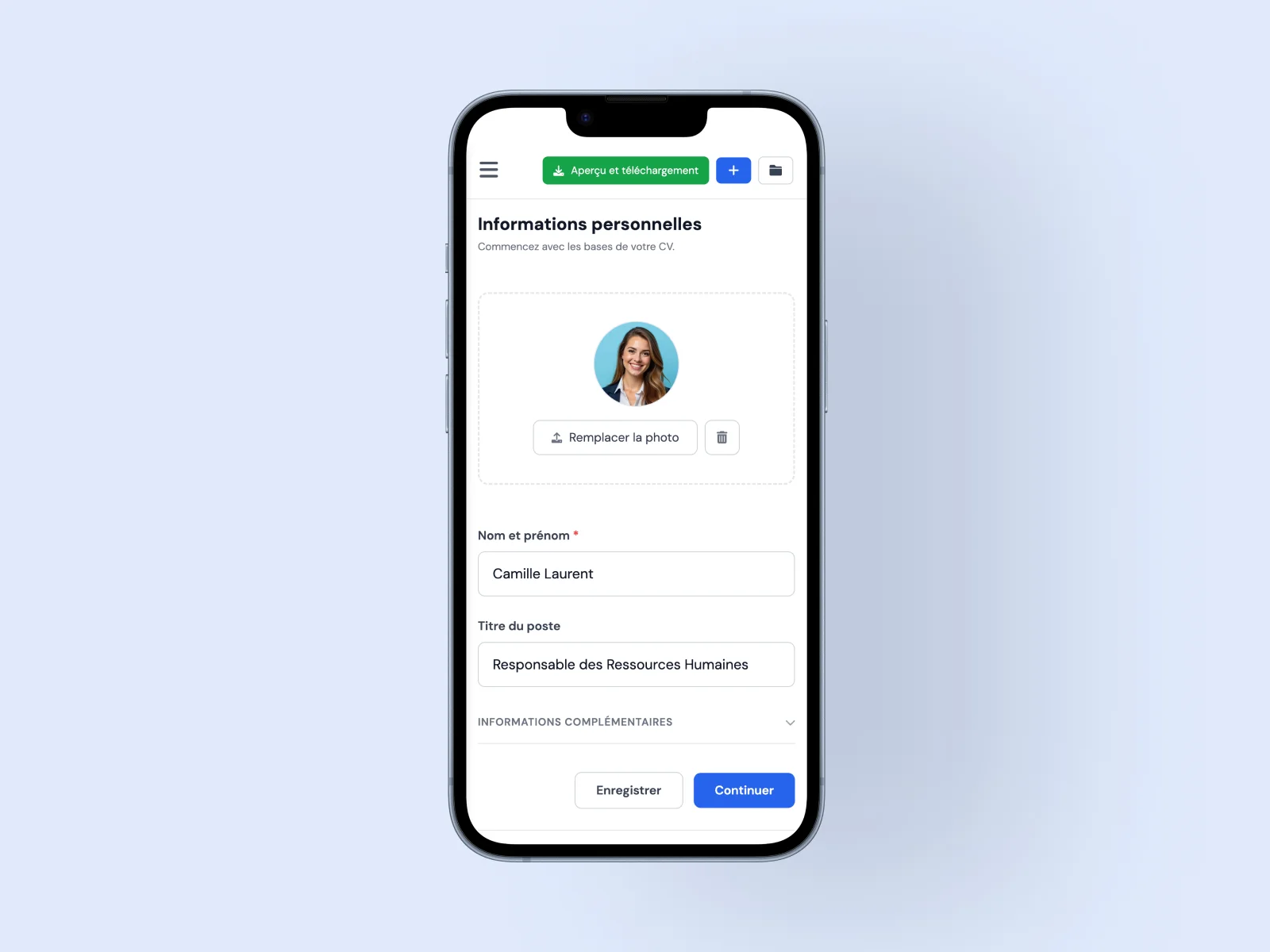
No app to download. Open Chrome, Safari, or any browser on your phone, go to MojCV and start immediately - no registration required. A private link is generated automatically so you can return to your CV later.
Fill in your sections from your phone
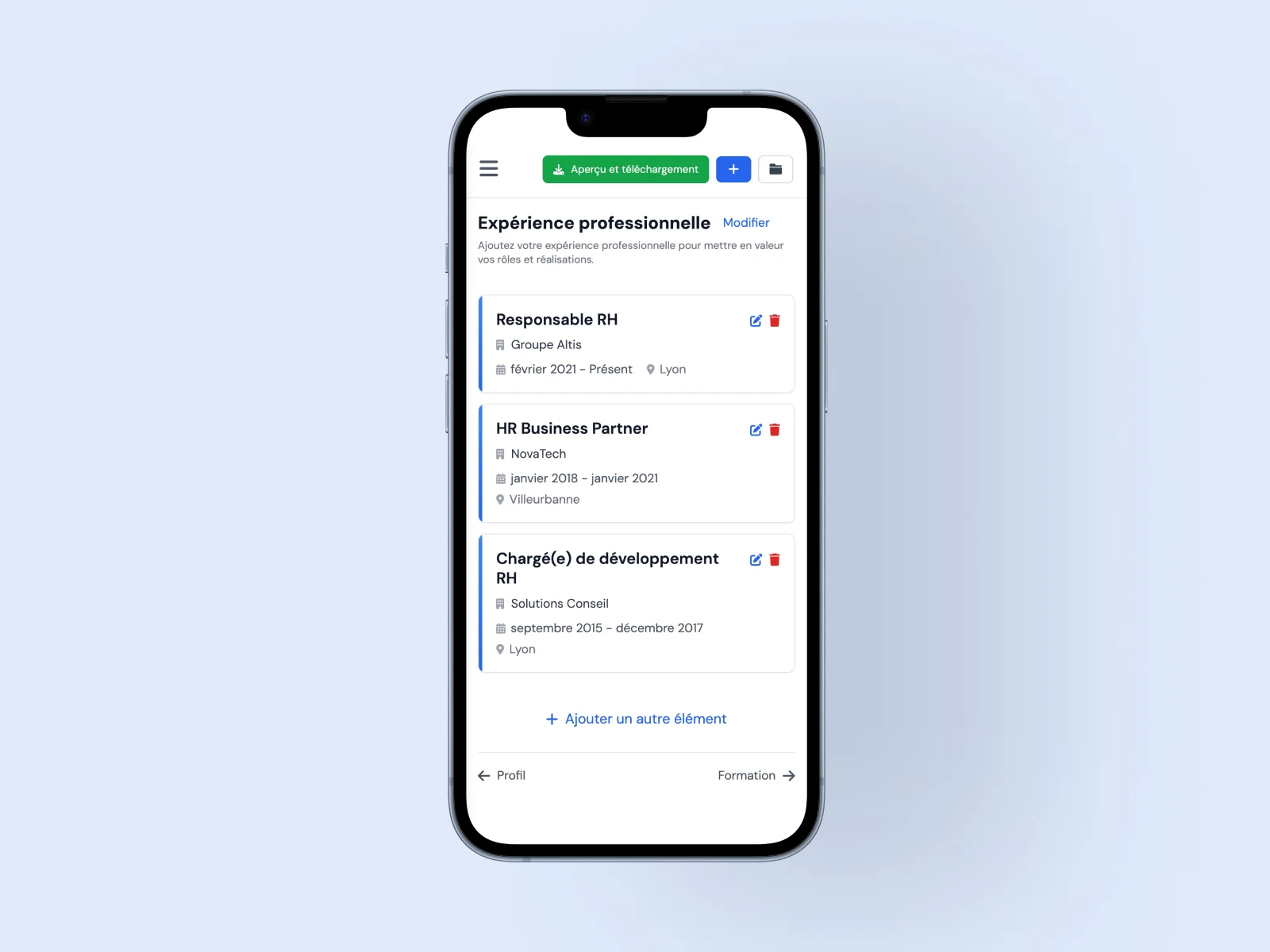
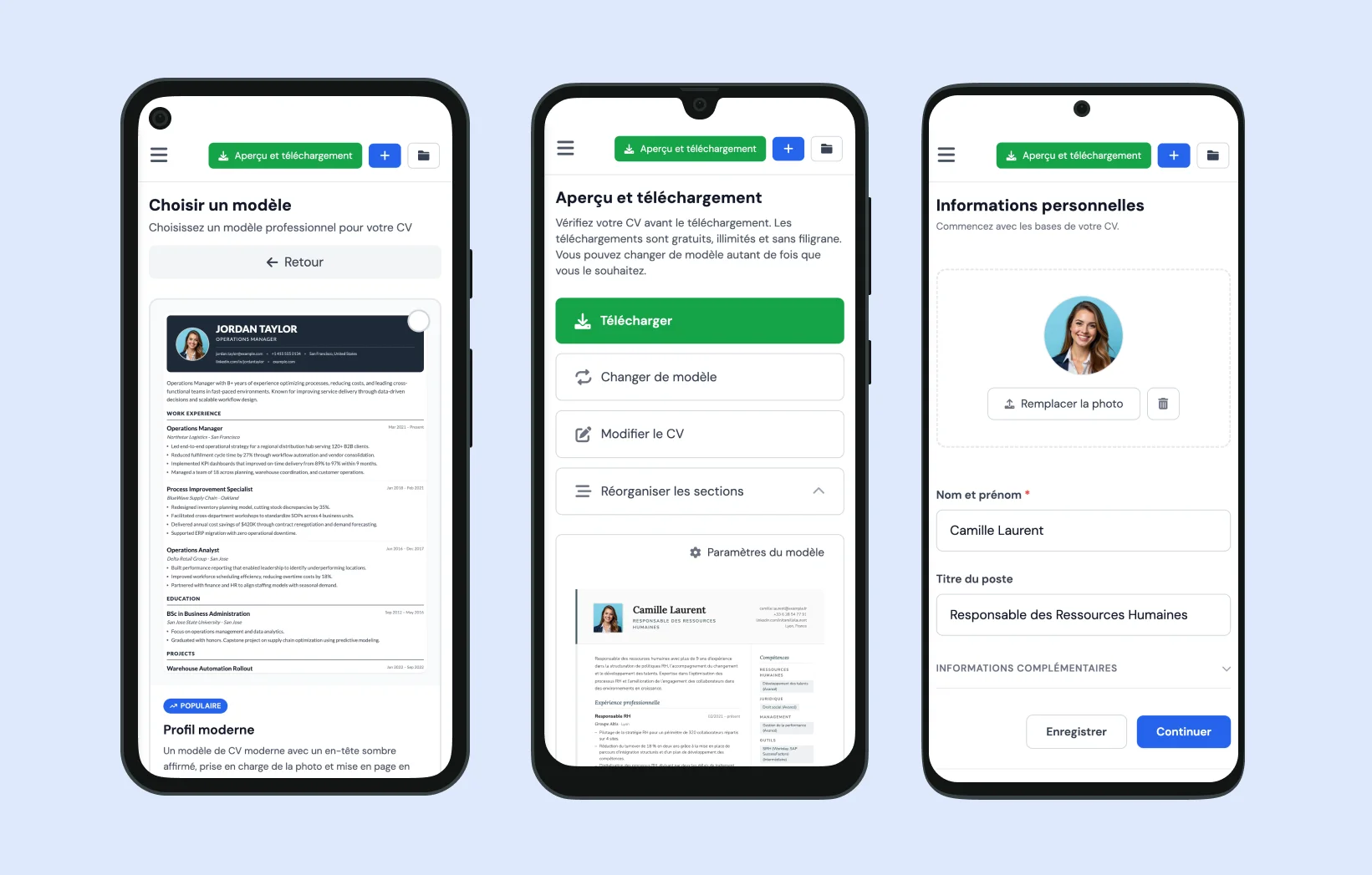
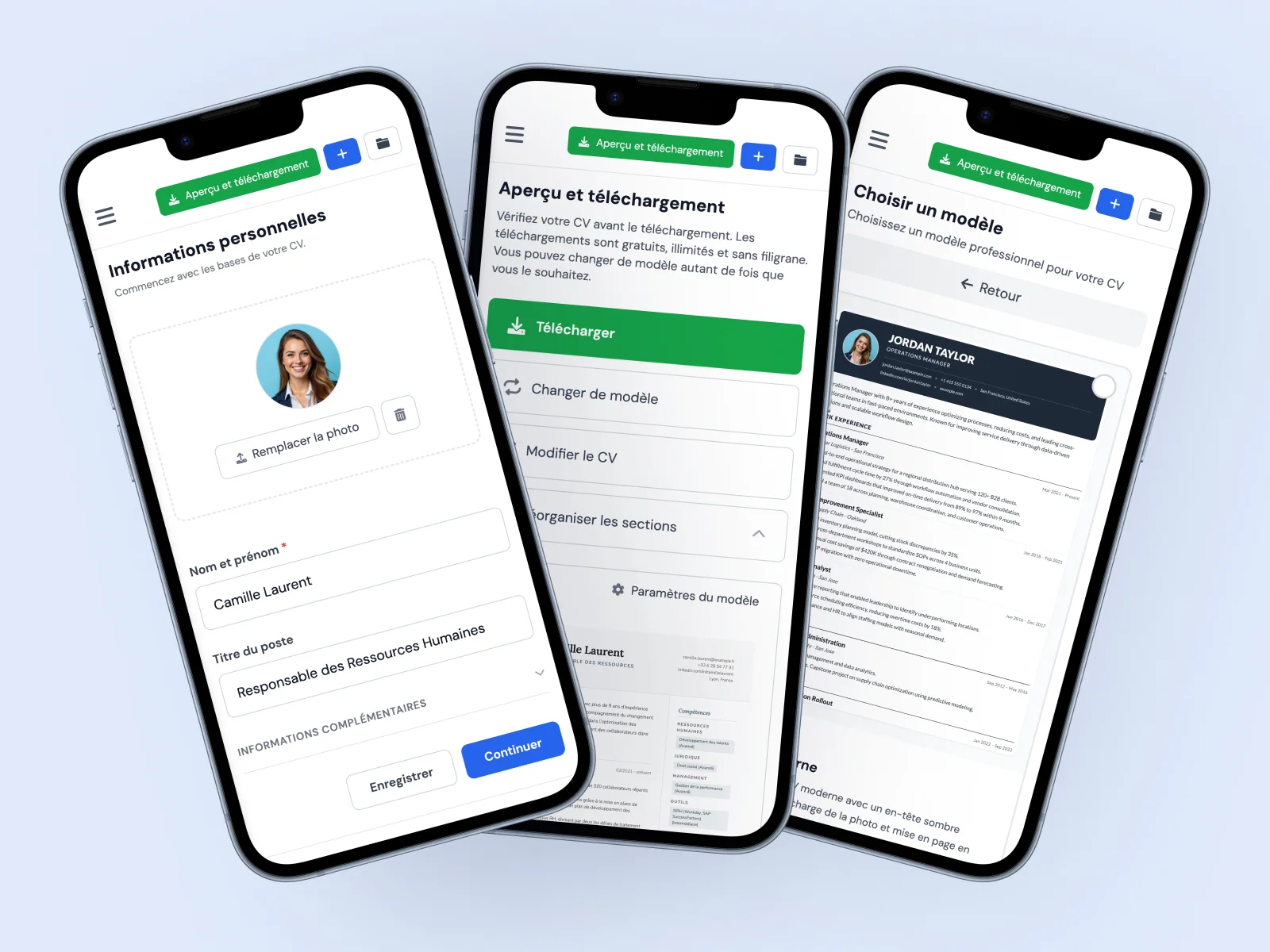
The editor is built for small screens: large input fields, clear navigation, and accessible buttons. Fill in your experience, education, skills, and any other sections you need. Leave any section blank and it will not appear in your PDF.
Download your PDF to your device
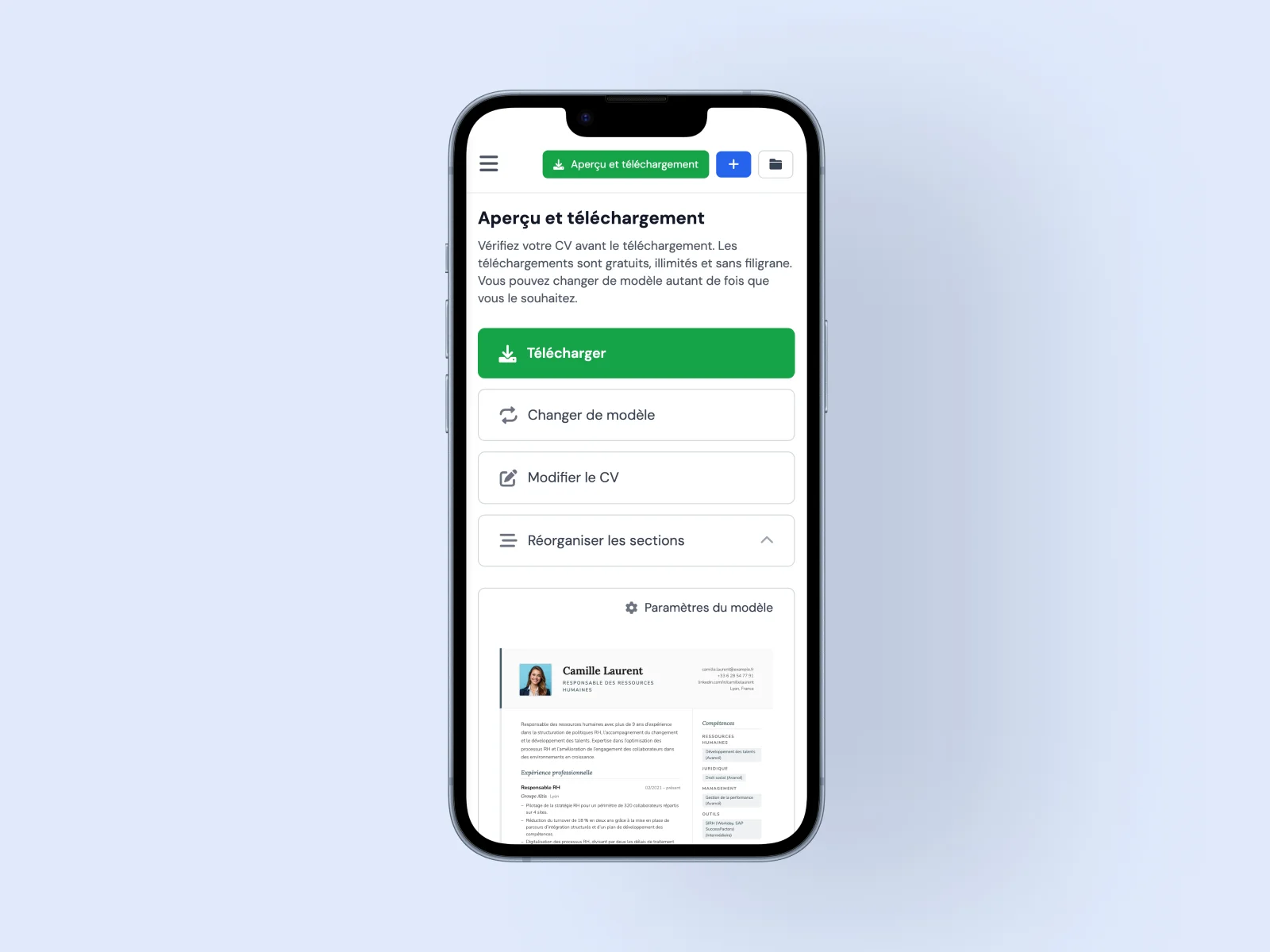
Pick a template, switch between designs if you want, then tap download. The PDF saves straight to your phone - clean, watermark-free, and ready to send. On iPhone it goes to your Files app; on Android it saves to your Downloads folder.
Everything you can do with MojCV on your phone
MojCV is designed to create a CV on mobile just as easily as on a desktop. You do not need to wait until you are at a computer to move your job search forward.
Create a complete CV or resume on your phone
Fill in every section directly from your smartphone: work experience, education, skills, languages, projects, certifications, and more. The editor is built for small screens - wide fields, clear layout, and a keyboard that does not block the navigation.
Choose a template and switch designs in one tap
All templates are available on mobile. Switch designs with one tap and your content moves across automatically - nothing to reformat or readjust. Preview how your CV looks in different layouts before downloading.
Download your PDF straight to your phone
When your CV is ready, download the PDF directly to your device. From there you can attach it to a job application email, upload it to a jobs site, or share it however you need - all without leaving your phone.
Edit your CV any time, from any device
Your CV is saved under a private link generated when you first create it. Open that link from any device - your phone, a tablet, or a laptop - to edit, update, and re-download an updated PDF whenever you need it. No account, no password.
Change the language of your CV in one tap
Applying abroad or in another language? Switch your CV language directly from your phone. Section headings, date formats, and document structure update automatically - no manual editing needed.
Duplicate and tailor for each application
Applying to multiple roles? Duplicate your CV in one tap and adapt it for each position. Manage multiple versions from your phone without starting from scratch each time.
Create your CV on Android - no app required
MojCV runs directly in your Android browser. Nothing to install from the Play Store. Open the site in Chrome or Firefox, create your CV, and download a clean PDF to your Downloads folder in minutes.
- Works in Chrome, Firefox, and all Android browsers
- Nothing to install from the Google Play Store
- PDF downloads directly to your Android Downloads folder
Create your CV on iPhone - no app, completely free
MojCV works directly in Safari and any other iOS browser on your iPhone or iPad. No App Store download needed. Fill in your details, pick a template, and the PDF saves straight to your Files app.
- Works in Safari, Chrome, and all iOS browsers
- Nothing to install from the App Store
- PDF saves directly to the Files app on your iPhone or iPad
Why not use a CV app instead?
Most CV apps impose unnecessary friction and usually cost money. MojCV runs directly in your browser - no installation, no account, no payments.
| MojCV on mobile | Typical CV apps |
|---|---|
|
No installation needed Everything runs in your mobile browser. Open the site and start immediately. |
Must be installed Requires a download from the App Store or Google Play before you can start. |
|
All templates included Every template is available on mobile, free and unlocked from the start. |
Templates often locked The best templates are usually behind a subscription or one-time purchase. |
|
Free unlimited PDF Download your PDF as many times as you want, free, no paywall. |
PDF often costs money Most CV apps charge to download the finished PDF. |
|
Private link, no account Your CV is saved under a private link. No email, no password, no account. |
Account required Most apps require an email address and account before you can save your CV. |
|
Works on any phone Same experience on iPhone and Android - any browser, any screen size. |
Varies by device App availability and features can differ between iOS and Android versions. |
What makes MojCV a strong mobile CV builder
Every feature is built so you can create and download a professional CV from your phone without compromise. You use the mobile editor to enter your information, but the PDF export remains the same as if it were created on a desktop.
Common questions about creating a CV on mobile
Everything you need to know about creating, editing, and downloading your CV from your phone.
Can I create a CV on my phone without downloading an app?
Is the mobile CV builder really free?
Where does the PDF save on Android?
Where does the PDF save on iPhone?
Can I create a CV on a tablet?
Will my CV look the same on mobile as on desktop?
How do I get back to my CV on a different device?
Do I need an account to save my CV on mobile?
Create your CV on your phone. Download your PDF for free.
No app. No account. No subscription. Open MojCV on your phone and finish your CV in minutes.
Free · No account · No watermark