How to Write a CV That Gets Interviews (Step-by-Step)
A strong CV is clear, relevant, and easy to read. Learn how to structure your CV, write strong bullet points, and tailor it to the job. Then create your CV in minutes with our actually free builder — no sign-up required.
Last updated: 1/4/2026 · Author: MojCV Team · Reviewed by: HR Specialists
Last updated: 1/4/2026
Author: MojCV Team · Reviewed by: HR Specialists
Key Takeaways
Keep your CV to 1 to 2 pages and tailor it for every application. Lead each work experience bullet with a strong action verb and a measurable result. Mirror keywords from the job description to pass ATS screening. Use a clean, semantic PDF layout because decorative or image-based formats are invisible to most ATS. Sections you leave empty should be omitted; only show what is relevant to the role. A professional summary, strong work experience, and a focused skills section carry the most weight.
Introduction
A CV is often the first document a recruiter sees, and in some cases it is the only one they review before deciding whether to move you forward. Research by Ladders found that recruiters spend about 6 to 7 seconds on an initial scan, so structure, clarity, and the right keywords matter just as much as the information itself.
This guide shows you how to write a professional, ATS-friendly CV from scratch, one section at a time. Whether you build it with MojCV or draft it in Word, the same principles apply: make it easy to scan, relevant to the role, and persuasive enough to earn an interview.
If you want to apply this advice without fighting layout, formatting, or paid PDF exports, MojCV handles the technical side for you:
- ATS-friendly templates built for real job applications
- PDF export without the usual paywall trap
- No registration required to get started
- 30+ languages with auto-translated section labels
- Empty sections removed automatically so the final CV stays clean
What This Guide Covers
Before You Start: Key Principles
The mindset and rules that apply to every section of a great CV.
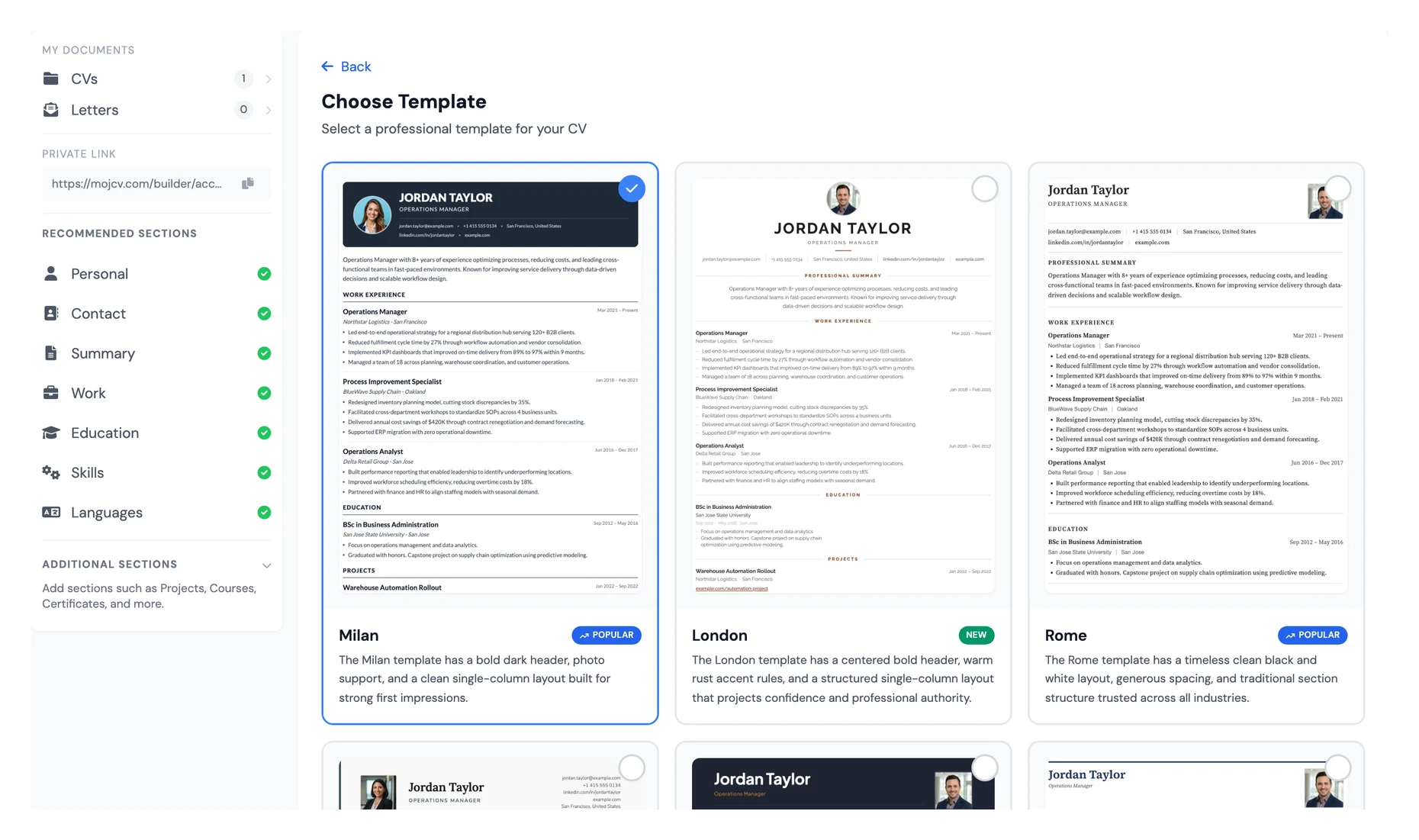
Choosing Your Template
Why template structure matters more than design for ATS and recruiters.
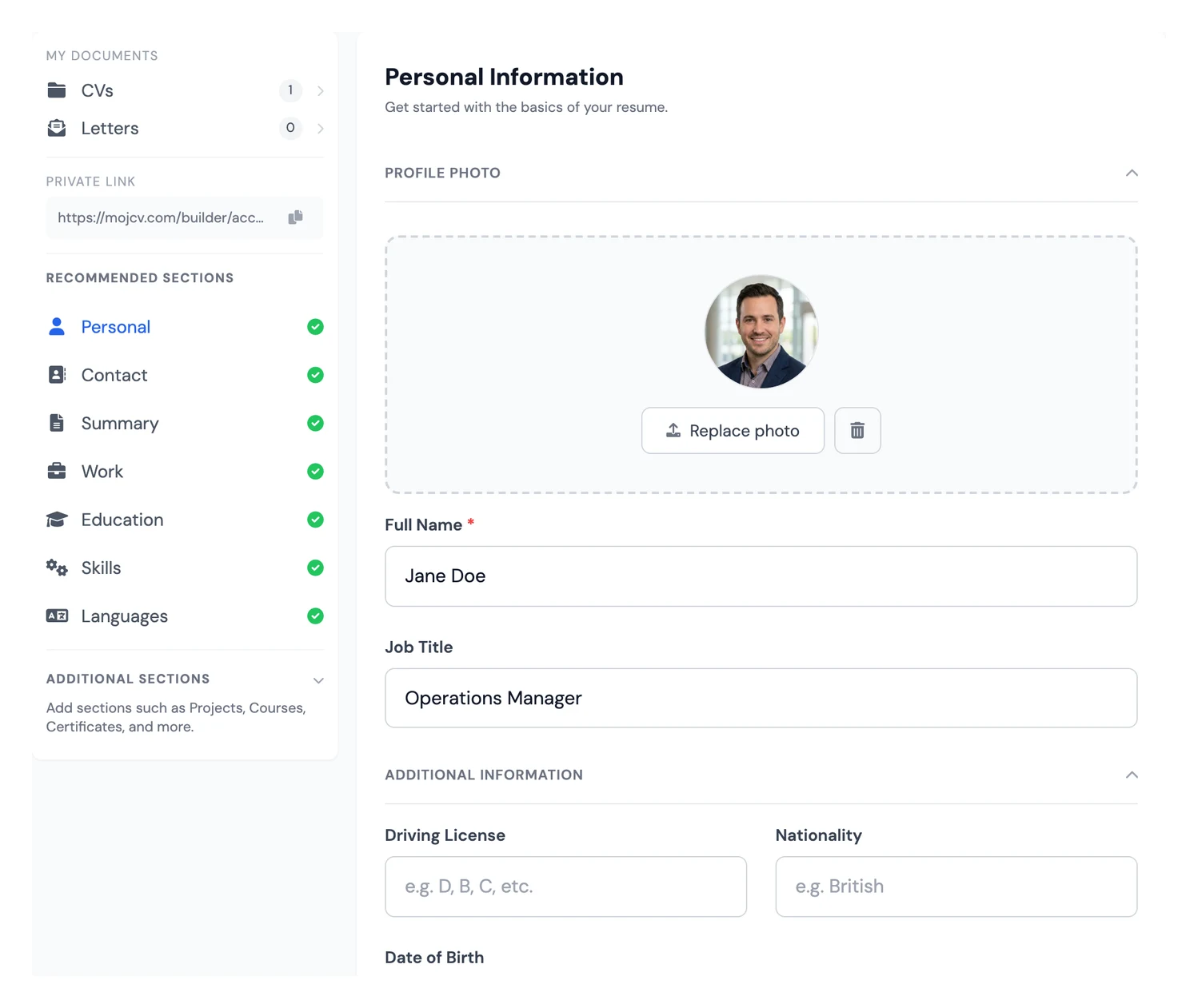
Basic Information
How to present essential personal and contact details professionally.
Professional Summary
How to position your profile and value in 2 to 4 strong sentences.
Work Experience
How to write impact-driven achievement bullets recruiters notice.
Education
How to structure degrees and academic achievements by relevance.
Skills
How to present hard and soft skills in an ATS-friendly way.
Certificates and Courses
How to include credential evidence that strengthens your profile.
Projects
How to show practical ability beyond formal employment history.
Languages
How to list language proficiency clearly and consistently.
References
How to handle references depending on region and employer expectations.
Photo: Yes or No?
How to decide photo usage based on country and industry norms.
Final Checks
The final checklist before you submit your CV to any employer.
Before You Start: Key Principles of a Great CV
Before writing a single word, it helps to be clear about what a CV is and what it is not. A strong CV is not a full autobiography. It is a focused, tailored marketing document built to win an interview. Every decision you make, from what to include to how you order it, should support that outcome.
Keep these principles in mind throughout every section:
- Keep it to 1 to 2 pages. Recruiters often spend 6 to 7 seconds on the first scan (Ladders Eye-Tracking Study).
- Tailor it for each application. Mirror language and keywords from the job description.
- Be results-oriented. Quantify achievements with numbers, percentages, and outcomes.
- Use a clean, professional layout with consistent formatting.
- Write in reverse chronological order, most recent first.
- Avoid photos, personal details, or opinions unless regional norms require them.
- Use ATS-friendly formatting so systems can parse your CV correctly.
How MojCV Handles ATS
Many CV tools focus on visual styling first and turn PDF export into the upsell. MojCV takes the opposite approach. It produces text-based PDFs that ATS software can parse properly, while also removing the formatting work that usually slows people down.
How to Choose the Most Appropriate Template
Choosing the right template is about more than looks. A strong layout improves readability, supports accurate ATS parsing, and helps you make a professional first impression fast. A stylish template that hides information, breaks alignment, or exports poorly can hurt you before a recruiter even reads the first line.
Why Our Templates Are Different
Unlike general design tools that make you manually arrange every block, MojCV templates are built around recruitment content and the way recruiters actually read a CV:
- Automatic section omission: If you leave a section empty, it is completely removed from the layout. No weird gaps or headers leading to nothing.
- Smart layout balancing: As you add or remove text, the template re-balances margins and spacing. You will never have to "wrestle" with a second page that only has one line on it.
- Recruiter-friendly hierarchy: The layout keeps your most important information where recruiters expect to find it first.
- ATS-safe output: The final PDF preserves real text instead of flattening key content into visual elements.
Matching Your Template to Your Industry
- Law and Finance: Stick to Classic or Minimal layouts. These prioritize text density and professional sobriety.
- Tech and Startups: Modern templates work best. They use cleaner typography and more generous white space for fast scanning.
- Creative Roles: Use creative layouts with subtle accents. These show design awareness without sacrificing the ATS readability recruiters need.
- Career Starters: Choose layouts that give more weight to Skills and Projects specifically to fill the visual space of a shorter work history.
Real CV Examples
If you are unsure which template or structure fits your role, review real role-specific CV examples for inspiration: View real CV examples.
1. Basic Information
This is the first thing a recruiter sees. It should be clean, professional, and readable in seconds. The goal is simple: give the employer exactly what they need to contact you, and leave out personal details that add clutter or introduce bias.
Do
- Full name (prominent headline)
- Professional email address
- Phone number (with country code when needed)
- City and country of residence
- LinkedIn profile URL
- Personal website or portfolio (when relevant)
- GitHub profile for technical roles
Do Not
- Date of birth, marital status, or nationality unless required locally
- Full home address (city and country are usually enough)
- Unprofessional email addresses
- Outdated phone numbers or broken links
Pro Tip
Create a clean professional email address using your first and last name if you do not already have one. Your email is part of your first impression.
2. Professional Summary
The professional summary sits near the top of your CV and often decides whether the reader keeps going. Think of it as a short positioning statement: 2 to 4 sentences that show who you are, what you do well, and where you can add value. A sharp summary gives the rest of the CV context and momentum.
The Formula
[Your role/title] with [X years of experience] in [industry/field]. Skilled in [top 2-3 relevant skills]. [Key achievement or value proposition]. Seeking [type of role/company/goal].
Professional summary formula
Good Example (Strong Summary)
Customer Service Team Leader with 7 years of experience in retail and hospitality. Skilled in complaint handling, staff scheduling, and supplier coordination. Reduced customer complaint rate by 40% within 12 months by introducing a structured service training programme. Seeking a store management role in a customer-facing environment.
Weak Example
I am a hard-working and motivated person who is looking for a job in marketing. I have worked in several companies and have good communication skills. I am a team player and a fast learner.
Tips for Writing Your Summary
- Write in third person style without pronouns such as "I am".
- Lead with your strongest qualification or standout result.
- Use keywords from the job description for ATS matching.
- Keep it concise: 3 to 4 sentences.
- Customize this section for each application instead of using one generic profile everywhere.
3. Work Experience
The work experience section carries the most weight in almost every professional CV. This is where recruiters look for proof that you can do the job, not just say you can. List roles in reverse chronological order, starting with the most recent, and focus on outcomes instead of routine duties.
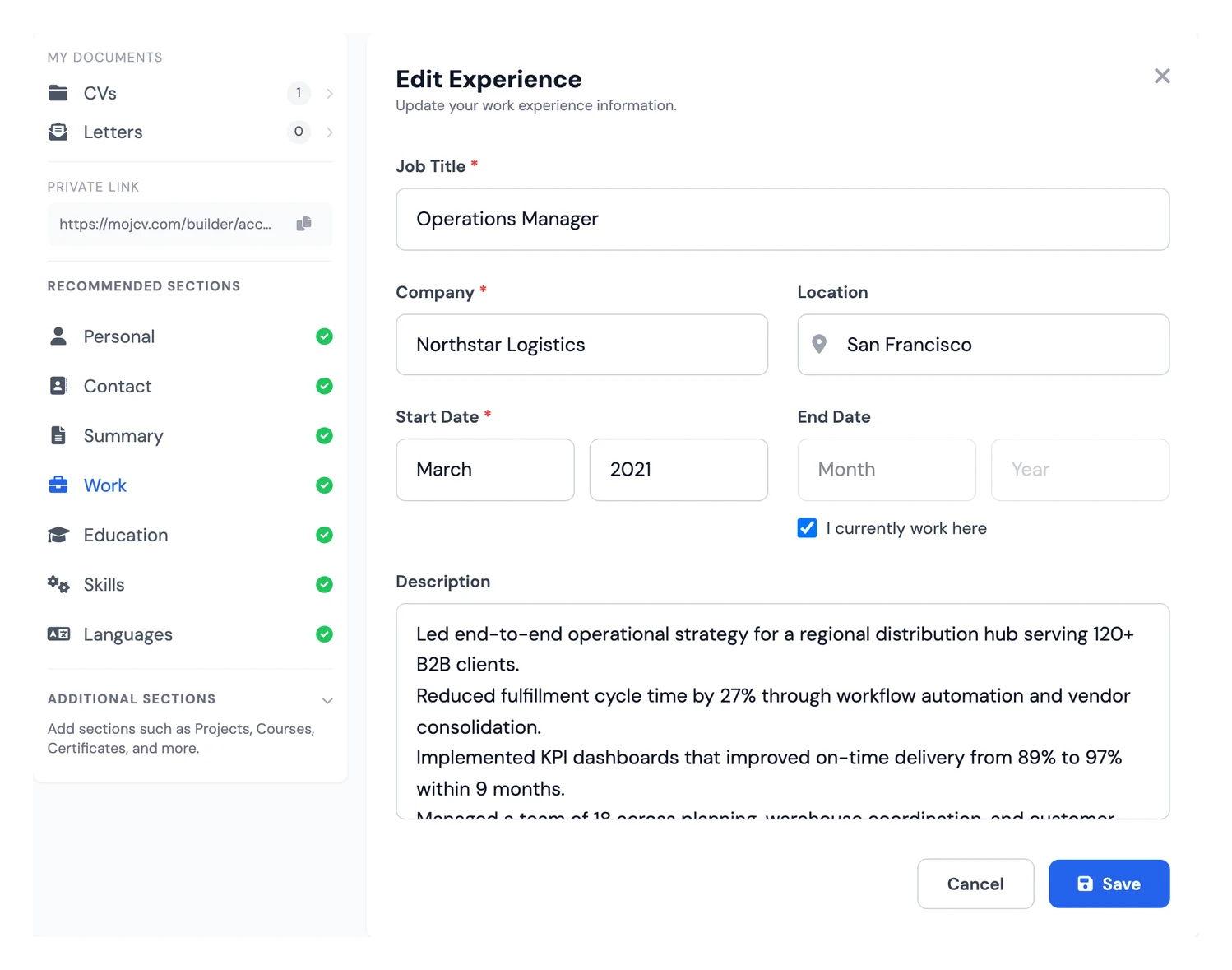
What to Include for Each Role
- Job title (exact or recognized equivalent)
- Company name
- Location (city/country or Remote)
- Start and end dates (Month Year to Month Year)
- 3 to 6 bullets covering responsibilities and achievements
The Golden Rule: Results Over Responsibilities
Do not stop at describing your job. Show what changed because you did it. A reliable structure is: action verb + task + result.
Weak (Responsibility)
- Responsible for serving customers at the counter.
- Handled stock replenishment on the shop floor.
- Worked on a team completing delivery rounds.
- Managed a sales area.
Strong (Achievement)
- Reduced average customer wait time from 18 to 11 minutes by reorganising the service counter workflow.
- Cut stock discrepancy rate by 35% by introducing weekly spot-checks alongside automated scanning.
- Coordinated a team of 6 warehouse staff to complete a full inventory recount two days ahead of schedule.
- Exceeded monthly sales target by 19% for five consecutive months through needs-based customer selling.
Power Action Verbs
Start every bullet point with a strong action verb. Here are some of the best by category:
Handling Gaps and Special Situations
- Employment gap: be honest and brief. Mention freelancing, volunteering, upskilling, or caregiving when relevant.
- Short-term roles: include if relevant and briefly explain context when needed (for example: contract role, project completed).
- First job or no experience: lead with internships, university projects, volunteering, and relevant part-time work.
Tailor Your CV via Duplication
Tailoring matters, but most people avoid it because reformatting the same CV again and again is tedious. MojCV lets you duplicate a version quickly, adjust the summary, keywords, and bullets for a specific role, and keep the layout intact while you do it.
Tip: How Many Jobs to Include?
Generally include the last 10 to 15 years of experience. Older roles can be summarized briefly or omitted. Focus on relevance and impact over quantity.
4. Education
For experienced professionals, education is a supporting section that should stay concise and sit below work experience. For recent graduates or candidates applying to academic and research roles, it can move higher and carry more detail. In both cases, the goal is the same: confirm your qualifications without wasting space.
List education in reverse chronological order, with your most recent degree first.
What to Include
- Degree name and field of study
- Institution name
- Location (city and country)
- Start and graduation year
- Grade or GPA when strong
- Relevant coursework, thesis, or achievements when useful
- Honors and distinctions
What to Omit
- Secondary/high school once you hold a university degree
- Weak grades that do not support your profile
- Irrelevant coursework
Recent Graduate Tip
If you graduated in the last two years with limited work history, expand education with academic projects, thesis topic, extracurricular leadership, awards, and scholarships.
5. Skills
The skills section is one of the most important parts of an ATS-friendly CV. Screening systems look for direct keyword matches between your CV and the job description, and this section is the clearest place to make those matches. A strong skills list also helps human recruiters understand your core strengths at a glance.
Hard Skills vs Soft Skills
Prioritize hard skills in this section. Soft skills are stronger when demonstrated through work experience outcomes rather than simply listed.
Tips
- Mirror exact job-description keywords for ATS matching.
- Group skills logically (for example: languages, tools, methods).
- Add proficiency levels only when meaningful.
- Remove generic filler skills.
- Aim for roughly 8 to 15 relevant skills.
Do
- Customer Service
- Team Leadership
- Stock Management
- MS Excel
- First Aid Certificate
- Cash Handling
Do Not
- Hard worker
- Microsoft Word
- Good communicator
- Internet
- Team player
- Fast learner
6. Certificates and Courses
Professional certifications and completed courses add outside proof to your skill set, which makes them more convincing than a self-reported list alone. This section is especially useful for career changers, professionals in fast-moving fields like tech or digital marketing, and candidates whose work history does not fully reflect what they can do today.
Certificates: What to Include
- Certificate name
- Issuing organization (for example: Google, AWS, PMI, Coursera)
- Date obtained (or expected date if in progress)
- Credential ID or URL (optional)
Courses: What to Include
- Course name
- Platform or institution
- Completion date
Which Certificates Are Worth Including?
Include nationally recognised credentials relevant to your target role, such as First Aid and CPR Certification, Food Hygiene Certificate, Forklift Operator Licence, IOSH Managing Safely, ECDL/ICDL computer skills, or trade-specific NVQs and vocational qualifications. Omit very old, irrelevant, or low-credibility credentials.
7. Projects
The Projects section matters more than ever because hiring managers increasingly look beyond formal job titles to assess real ability. Side projects, open-source work, freelance assignments, and academic initiatives show that you can apply your skills in the real world. In fields like software development, design, and data science, strong projects can carry more weight than years of unrelated experience.
What to Include
- Project name
- Brief description (what it was, what you built, and the outcome)
- Technologies, tools, or methods used
- Links to GitHub, live demo, publication, or portfolio when available
- Date or timeframe
Good Project Entry Example
Community Centre Kitchen Refurbishment: Coordinated four volunteers and local tradespeople to renovate the kitchen area of a local community centre over six weekends. Managed scheduling, materials sourcing, and budget tracking. Delivered within the £1,800 budget and two days ahead of schedule.
Who Should Prioritize the Projects Section?
Developers and designers should showcase portfolio and open-source work. Recent graduates can demonstrate ability beyond coursework. Career changers can show practical work in the new domain. Researchers can include publications and initiatives.
8. Languages
Language skills are increasingly valued in global and multilingual workplaces. Even a working knowledge of a second language can differentiate you from otherwise equal candidates, particularly for roles involving international clients, cross-border teams, or customer-facing communication. List every language you use at a meaningful level, and always use a recognized proficiency scale so recruiters can make an accurate assessment.
Proficiency Levels to Use
Multilingual CV Builder: Interface vs. Document
MojCV supports 30+ languages and separates the editing experience from the final document language. That means you can build comfortably in your own language while generating the CV in the language the employer expects.
9. References
References are people who can confirm your professional ability and working style. Most employers contact them late in the hiring process, so this section rarely deserves much space. The right approach depends on the country, industry, and employer. In some markets, full reference details are expected. In others, "available upon request" is still perfectly acceptable.
Options
- Include full reference details when the employer requests them or where industry norms expect this.
- Use "References available upon request" to save space and protect contact information when acceptable.
Tips for References
- Ask permission before listing anyone.
- Choose references relevant to the role.
- Prioritize managers, senior colleagues, professors, or clients.
- Avoid family members or friends.
- Brief references on the target role so their feedback is aligned with what the employer is looking for.
10. Should You Include a Photo?
Whether to include a CV photo is one of the most common job-search questions, and the answer depends mostly on where you are applying. In many European, Middle Eastern, and Asian markets, a professional headshot is normal. In the US, UK, and Canada, photos are usually left out because employers prefer to avoid details that could introduce bias before qualifications are reviewed. If you are unsure, check the norms for your target country and industry.
Usually Include a Photo
- Germany, Austria, Switzerland
- France, Spain, Italy, Portugal
- Eastern Europe and Balkans
- Middle East and many Asian markets
- Latin America
Usually Skip a Photo
- United States and Canada
- United Kingdom and Australia
- Nordic countries and Ireland
If You Include a Photo, Make It Professional
- Use a professional headshot with neutral background and appropriate attire.
- Your face should occupy roughly 60 to 70% of the frame.
- Use a recent high-quality image (not cropped casual photos).
- Use natural, professional expression.
- Avoid sunglasses, hats, and distracting backgrounds.
Formatting, ATS Optimization, and Final Checks
A well-written CV can still fail if the formatting blocks an ATS from reading it correctly. Before you submit, make sure the layout works for both software and humans. If you are using the MojCV builder, the technical ATS requirements below are handled automatically, but the final content checks still matter.
ATS Best Practices (Handled Automatically by Our Builder)
- Standard readable fonts (avoid decorative or handwritten fonts).
- No critical information in headers or footers.
- No text boxes replacing real text, and no complex layout hacks.
- Clear standardized section headings.
- PDF output with embedded selectable text, not a scanned image.
- Keyword alignment with target role requirements.
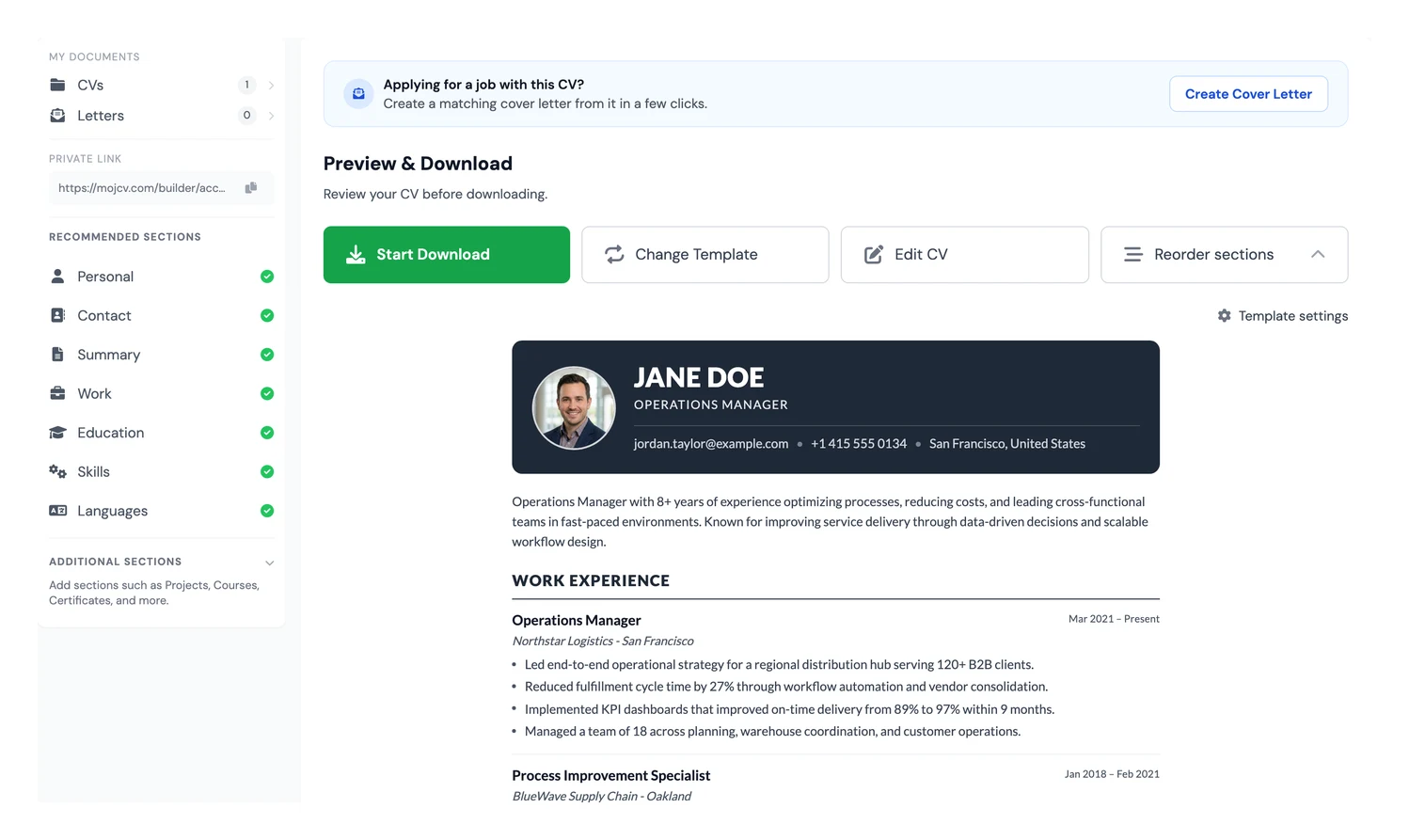
General Formatting Rules
MojCV handles formatting, spacing, and layout automatically so you can focus on the writing itself. That matters because most job seekers do not need a design tool. They need a CV builder that produces a professional file without forcing them to fix spacing, margins, or export settings by hand.
- Body font size: 10 to 12pt
- Name font size: 14 to 16pt
- Margins: 1.5 to 2.5 cm on all sides
- Line spacing: 1.15 to 1.5
- Use one date format consistently (for example: Jan 2022 or 01/2022)
- Save as PDF rather than .docx for consistent rendering across systems
Final Checklist Before You Submit
- No spelling or grammar mistakes (proofread twice).
- All links are working (LinkedIn, portfolio, GitHub).
- Dates are consistent and correctly formatted.
- Email address is professional.
- Phone number is correct and includes country code if needed.
- CV is tailored to the specific job.
- At least 3 to 5 achievements are quantified with real numbers.
- All sections are complete and no placeholders remain.
- CV is saved and downloaded as PDF.
- File name is professional: FirstName-LastName-CV.pdf
Creating a Multilingual CV
If you are applying internationally or in a market where English is not the main hiring language, a localized CV can improve your chances considerably. Recruiters often expect section titles, formatting conventions, and sometimes even the structure itself to match local norms. Sending the same English CV everywhere can make your application feel generic.
Our CV builder supports 30+ world languages. When you switch language, section headings and standard labels are translated automatically while your personal content stays under your control. This makes it practical to create localized versions without rebuilding the document from scratch.
Supported languages include English, German, French, Spanish, Portuguese, Italian, Dutch, Polish, Balkan languages, and many more.
Tip: Language-Specific CV Norms
Different countries have different CV expectations. In Germany, a photo and cover letter are often expected. In the UK and US, photos are usually omitted. In France, one-page CVs are common for junior roles. Research local norms and adapt accordingly.
Common CV Mistakes That Cost Interviews
Many CVs fail for predictable reasons. The candidate may have the right experience, but the document makes that hard to see. Fixing these issues often improves your chances faster than adding more content.
- Using a generic summary: If your opening could fit ten different jobs, it is too vague.
- Listing duties instead of achievements: Recruiters want proof, not a copy of your job description.
- Stuffing in every skill you have ever touched: Relevance beats volume every time.
- Ignoring keywords from the posting: A strong CV still needs the language employers and ATS software expect.
- Submitting a messy layout: Uneven spacing, bad alignment, and long text blocks make strong candidates look careless.
- Leaving outdated information in place: Old phone numbers, broken LinkedIn URLs, and stale summaries kill credibility quickly.
Simple Rule
Every line on your CV should earn its place. If a detail does not help you look relevant, credible, or easy to hire, cut it.
Frequently Asked Questions
Below are answers to the most common questions job seekers have when writing a CV.
What is the difference between a CV and a resume?
A CV (curriculum vitae) is a comprehensive document used primarily in Europe, Asia, and academic contexts. It can span multiple pages and covers your full professional and academic history. A resume is a shorter, highly targeted document, typically one page, and is more common in the US and Canada. For many international job applications outside North America, "CV" and "resume" are used interchangeably to describe a 1 to 2 page professional job application document.
How long should a CV be?
For most professionals, 1 to 2 pages is the right length. One page suits recent graduates and career starters. Two pages are appropriate for professionals with 5 or more years of relevant experience. Academic CVs can be longer, but professional CVs should never exceed 3 pages unless explicitly required.
How do I write a CV with no experience?
Focus on transferable skills, academic projects, volunteering, internships, and extracurricular activities. Lead with a strong professional summary that frames what you bring rather than what you lack. Use the Projects and Education sections to show applied ability. Employers hiring entry-level candidates expect limited experience, so they look for potential, reliability, and a strong fit for the role.
Should I include a cover letter?
Yes, when the job posting requests one or when you have a clear reason for targeting that company. A cover letter lets you explain context that does not fit naturally on a CV, such as a career change, an employment gap, or a specific connection to the company's mission. Keep it to one page and tailor it to the role.
What is an ATS and how do I make my CV pass it?
An Applicant Tracking System (ATS) is software used by employers to automatically scan, parse, and rank CVs before a human reviews them. To pass ATS screening: use standard section headings, include keywords from the job description, save your CV as a text-based PDF (not an image), and avoid tables, text boxes, or decorative fonts that confuse the parser.
How often should I update my CV?
Update your CV whenever you change jobs, complete a significant project, earn a new certification, or acquire a notable skill. Do not wait until you are actively job hunting. A quick update now saves you from a much bigger rewrite later.
You Are Ready to Build Your CV
If you remember only three things from this guide, make them these: tailor your CV for every application, lead with results instead of responsibilities, and never let formatting get in the way of readability. A CV with clear writing and a clean ATS-friendly structure will outperform a flashy document that is hard to scan or impossible to parse.
Your next step is simple. Open the CV builder, work through each section using the advice in this guide, and export a professional PDF without being pushed into a paid unlock just to finish your CV. MojCV is built for people who need a strong document, not a design project.
Good luck with your application.