Free Student CV and Resume Builder - No Account, Ready in 5 Minutes
Your first CV should not cost anything. No subscription, no paywall waiting at the download step, no account to create. Enter your information, pick a template designed for students and recent graduates, and download a clean professional PDF in minutes.
Free for everyone. No subscription. No account.
Students should not have to pay to create their first CV
Most CV and resume builders start free and then charge you at the point of downloading - right when you need the file most. MojCV does not work that way. The platform is funded by advertising, not subscriptions. That means the PDF download is free for everyone, with no paywall and no paid tier. Whether you are writing your first CV for a part-time job, putting together a resume for a summer internship, or applying for your first graduate role, you get the same clean professional result at no cost.
- Funded by advertising - no subscription, no trial that converts to billing
- Clean PDF without watermark or MojCV branding
- All templates unlocked from the start - no premium designs hidden behind a paywall
- Unlimited downloads - update your CV and re-download as many times as you need
Create a professional student CV in about 5 minutes
No design software. No formatting decisions. No fonts, margins, or spacing to worry about. The templates handle all of that. You focus on your content, the layout takes care of itself.
Start without an account - just enter your name
Open the builder, enter a first name, and choose the language for your CV or resume. That is the only step before you are inside the editor. No email address, no password, no account. A private link is generated automatically to save your work - no login needed to come back to it.
- No email, no registration, no account to manage
- Private link saves your CV automatically
- Works on any device - phone, tablet, or laptop
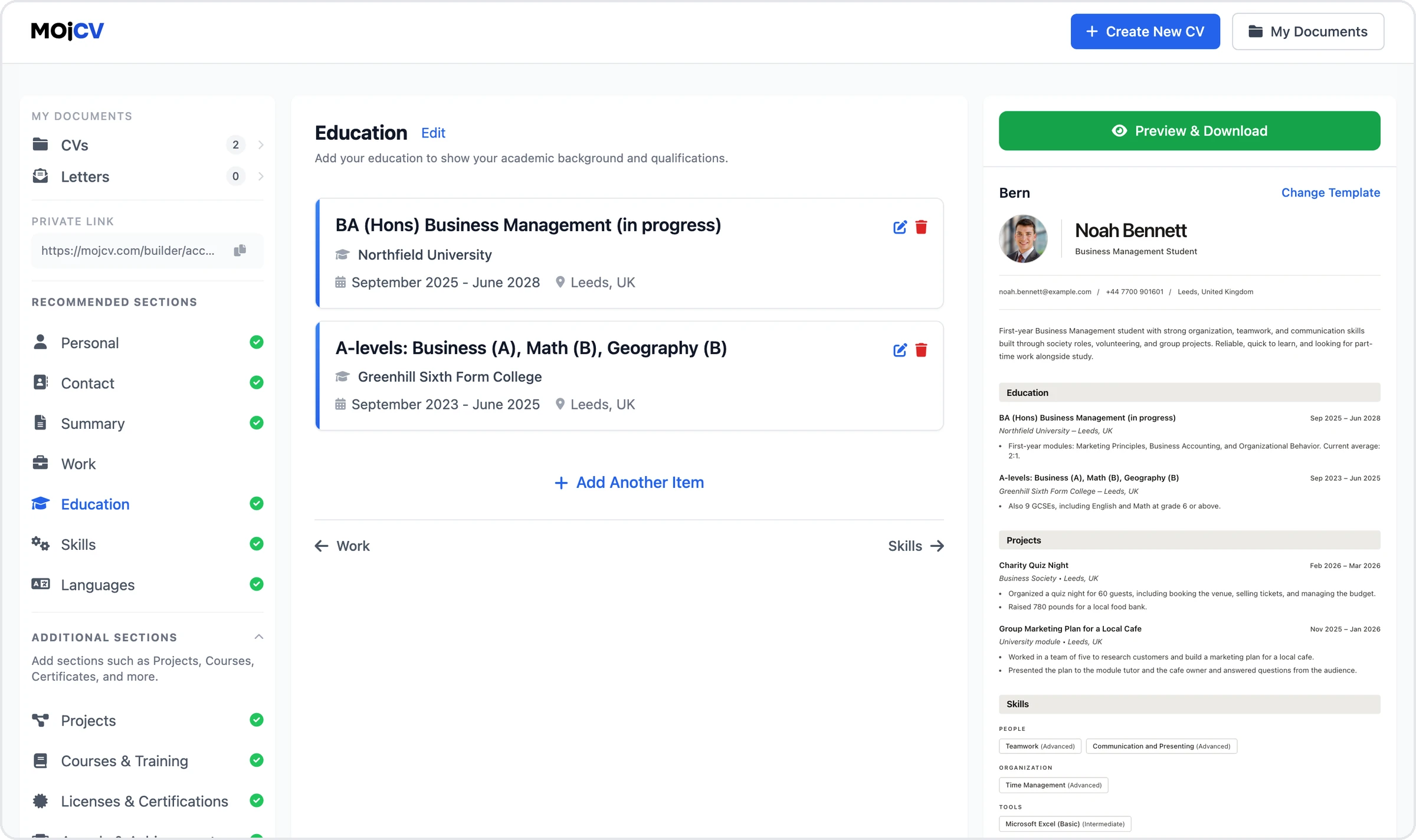
Fill in your sections - education, skills, any experience you have
The builder guides you through each section. For a student CV, lead with your education: institution, degree, and expected or actual graduation date. Add skills, any part-time work, internships, university projects, volunteer activity, or courses. Every field is optional - include what you have, leave blank what you do not. The layout adjusts automatically. All templates are designed to look complete even with a short CV.
- Education, skills, projects, volunteering, courses, certifications - all included
- Every field is optional - no experience required to create a polished CV
- Layout adjusts automatically as you fill in sections
Choose a template and download your PDF
Pick any of the student-optimised templates - or any template from the full collection. Your content moves across instantly when you switch designs. Switch as many times as you like, compare how different layouts look with your content, then download the version you prefer. One click, clean PDF on your device.
- Switch templates as many times as you like - content stays intact
- No design skills needed - spacing, fonts, and margins are handled for you
- ATS-compatible structure on every template
Built for experimenting, iterating, and applying
When you are creating your first CV, you often do not know exactly what to include or how to phrase things. MojCV is set up for exactly that process.
Duplicate your CV and test different versions
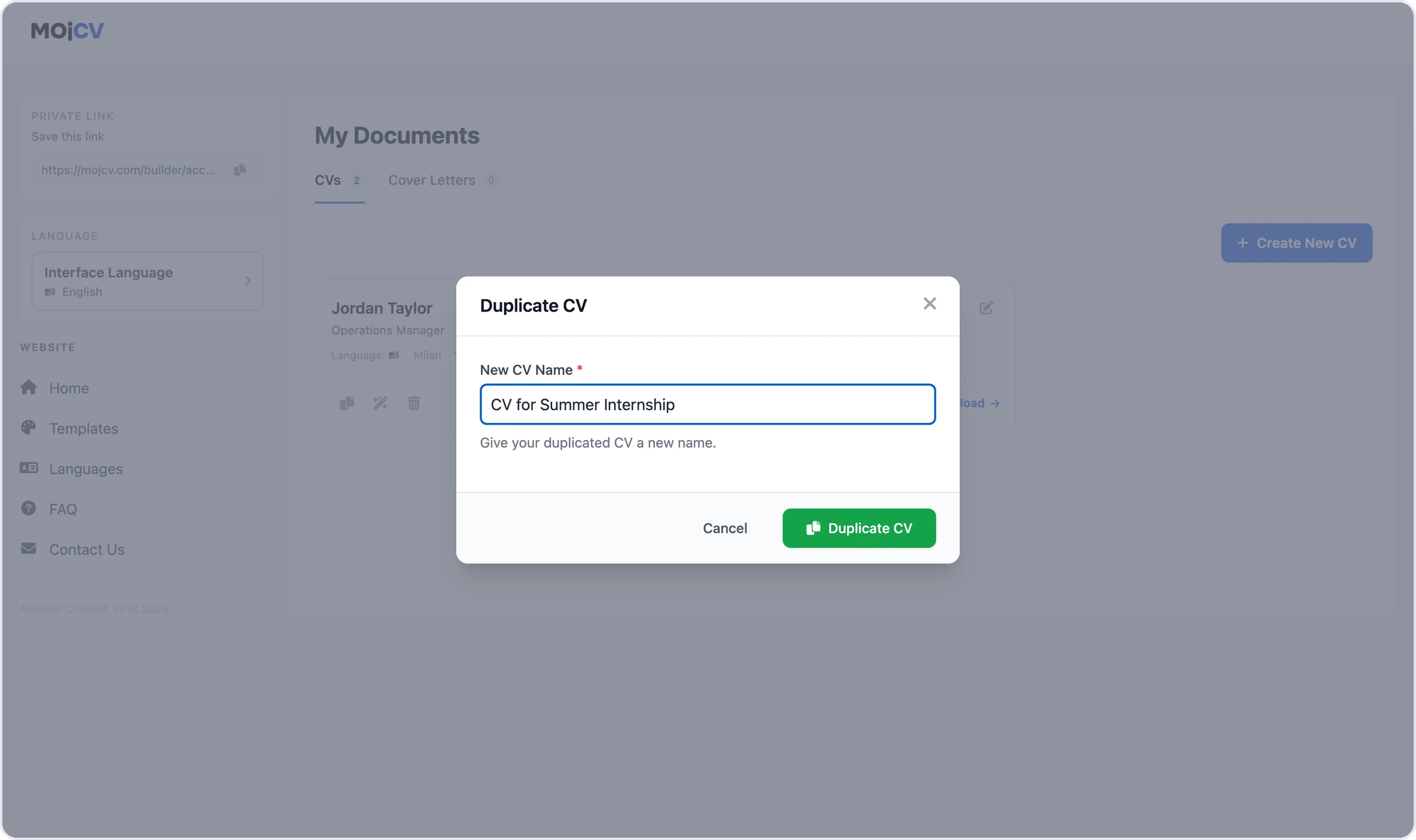
Not sure whether to lead with education or skills? Want to try a different summary for a specific role? Duplicate your CV in one click and edit the copy without touching your original. Test different wordings, different section orders, different approaches - all saved under the same private link.
Switch templates unlimited times
There is no cost to switching templates and no limit on how many times you do it. Try the Graduate template, compare it with Clean or Simple, see how your content looks in each. Your text, education, and skills carry over every time. Switch until you find the layout that presents your profile best.
No design skills needed - ever
Professional spacing, typography, margins, and section structure are already built into every template. You never choose a font, adjust a margin, or worry about whether the layout looks right. Whatever you type into the editor comes out formatted professionally in the PDF.
Works whether you have no experience or some
First part-time job? Summer internship? Volunteer project? University coursework? The builder includes all the sections a student CV needs, and skips blank ones automatically. All templates are designed to look polished at any length - a one-section CV looks as clean as a full one.
All templates work without a photo
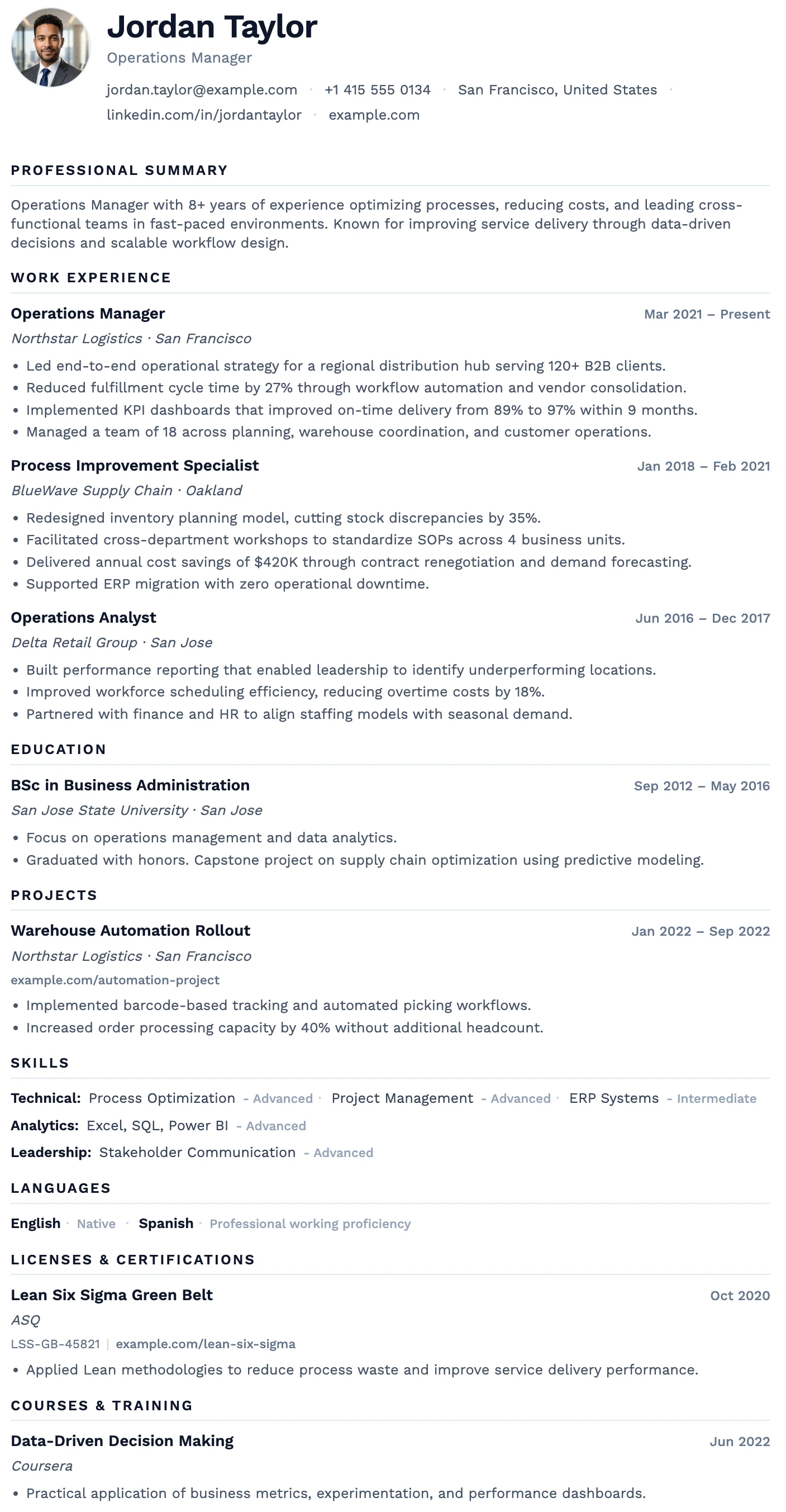
In the UK, USA, Canada, and Australia, photos are typically not included on a CV or resume. All 21 templates are designed to work with or without a photo - if you leave the photo field blank, the layout adapts cleanly with no empty gap.
Create as many versions as you need
Applying for a retail job, a marketing internship, and a data analyst graduate scheme at the same time? Create separate tailored versions for each. All your CVs are stored under your private link and available to edit or re-download at any time.
Create your student CV directly on your phone
No app to download. No laptop required. Open your browser, go to MojCV, and the full CV builder works directly on your phone screen. The editor is built for mobile - every section, every field, every template. When you are done, tap download and the PDF saves straight to your phone.
- Works in any mobile browser - Safari on iPhone, Chrome on Android, no app needed
- The full builder runs on your phone - all sections, all templates, all features
- Download the PDF and it saves to Files on iPhone or Downloads on Android, ready to attach to any application
- Start on your phone, continue on a laptop later - your CV is linked to your private URL, accessible from any device
How it works on iOS and Android
Everything works the same on mobile as it does on desktop. Nothing is locked to a larger screen.
No app to install - just open your browser
MojCV runs entirely in the browser. There is nothing to install from the App Store or Google Play. Open Safari, Chrome, Firefox, or any other browser on your phone, go to MojCV, and the builder loads immediately. It works on any iPhone or Android phone made in the last several years.
PDF saves directly to your phone
On iPhone, tapping download saves the PDF to your Files app. On Android, it saves to your Downloads folder. From there you can attach it to a job application email, upload it to a jobs site, or share it however you need. No extra steps, no emailing the file to yourself.
Switch between phone and laptop any time
Your CV is not tied to one device. It is stored under your private link. Start filling it in on your phone on the bus, open the same link on your laptop at home to finish and fine-tune, then download the PDF from whichever device is nearest. No account or login required on either.
Works in private and incognito mode on mobile too
MojCV works in private browsing on Safari and incognito on Chrome for Android. If you use private mode, save your private link before closing the window - the session cookie will not carry over. If you just need a one-time download, you can close without saving anything.
CV and resume templates designed for students
Clean layouts built to present education, skills, and early experience clearly. All ATS-compatible. All free to download. <a href="/en/student-cv-templates" class="text-blue-600 hover:underline">See all student templates</a>.
Oslo
FreeThe Oslo template has a quiet, understated layout, soft typography, and just enough structure to keep everything clear and easy to read.
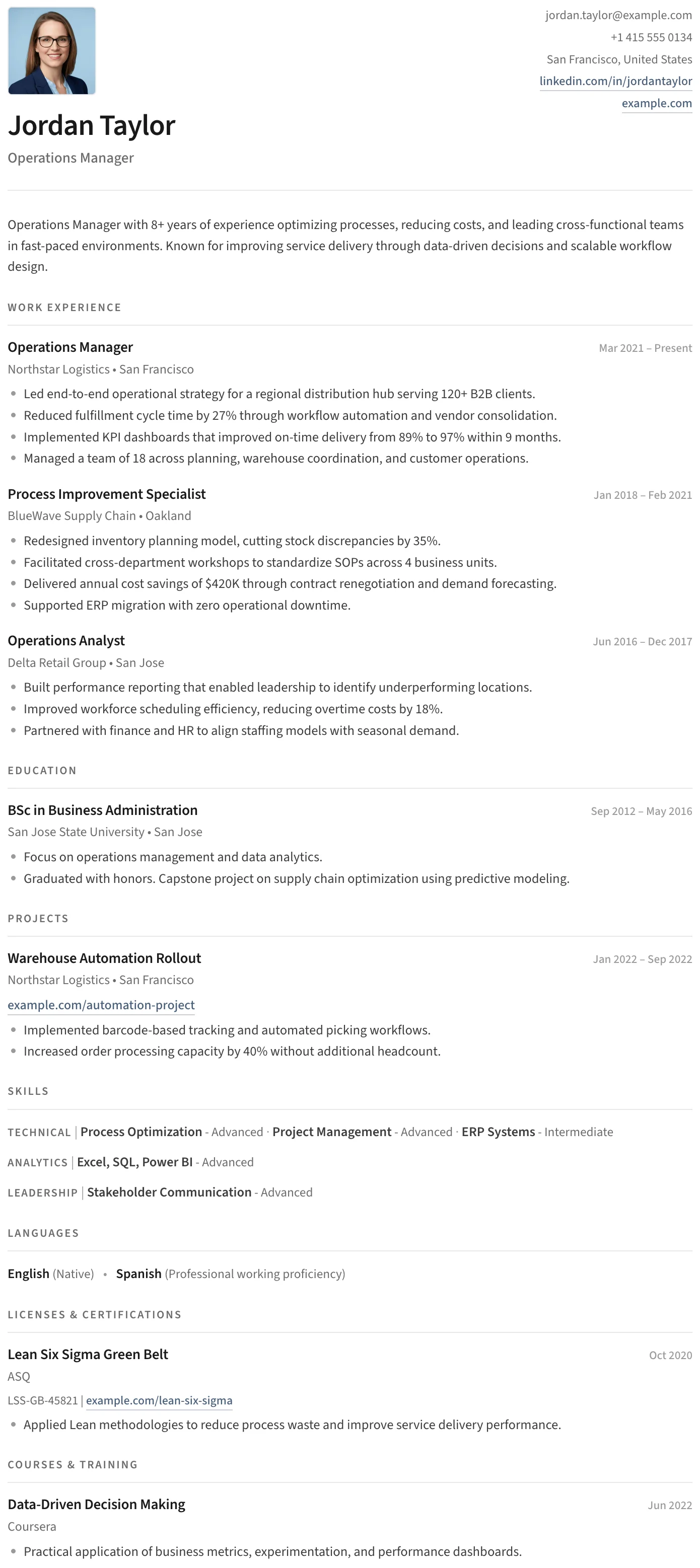
Split
FreeThe Split template has a clean split header, minimal section styling, and an uncluttered layout that keeps the focus entirely on your content.
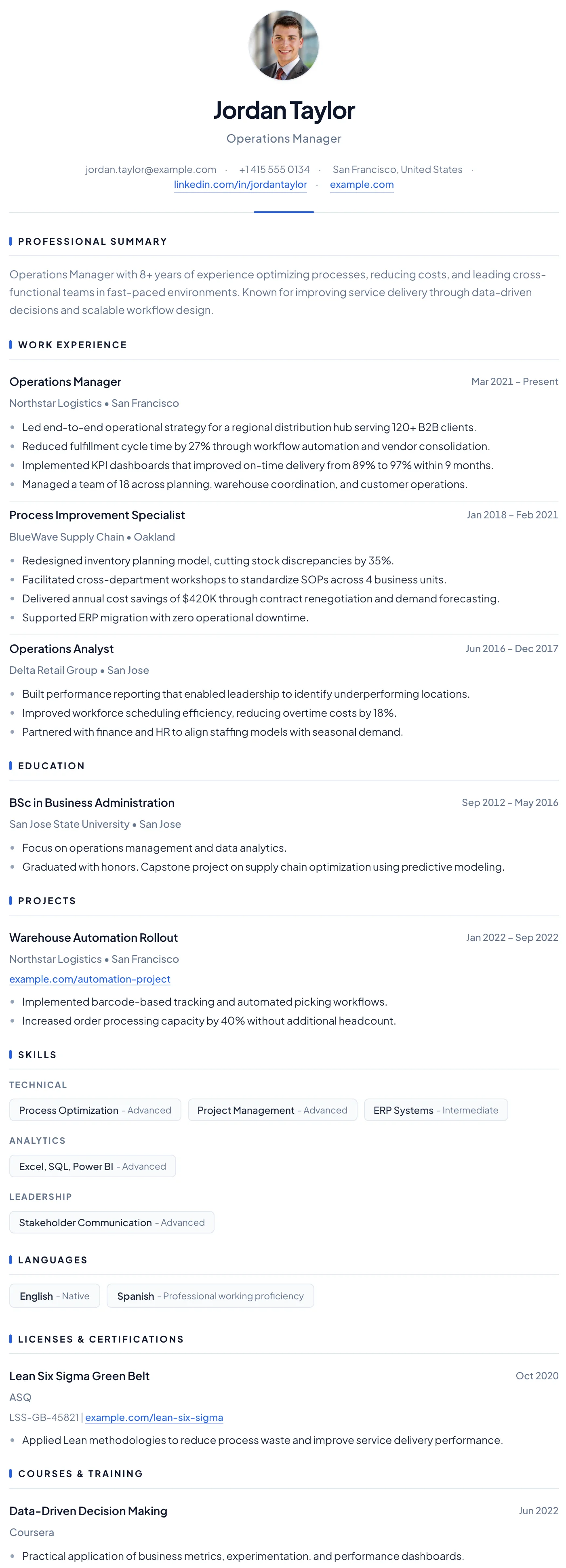
Barcelona
FreeThe Barcelona template has a clean centered header, subtle blue accent details, and a clear single-column layout that makes a confident first impression for early-career professionals.
Bern
FreeThe Bern template has a distinctive shaded band on every section heading, creating a well-structured and easy-to-navigate layout with a modern finish.
No work experience? Your CV can still be strong.
A student CV does not need years of employment history to be effective. Recruiters hiring students and recent graduates know exactly what they are looking at. What matters is that the CV is clearly structured, honest about where you are, and shows evidence of skills and initiative - not a full career.
- Education first: institution, degree, expected graduation date, relevant modules or thesis
- Skills: technical tools, languages, software - and transferable skills like communication and organisation
- Experience: part-time jobs, internships, volunteer work, university projects, societies
- Certifications, online courses, or any relevant training you have completed
- A short professional summary that explains what you are looking for and what you bring
Works for CV and resume formats, in every country
Whether the role you are applying for asks for a CV or a resume depends on the country. MojCV handles both.
UK, Ireland, Australia, New Zealand
These markets use the term "CV". There is no strict page limit at the student level, though one page is common. Photos are generally not included. MojCV templates are used widely across all these markets and produce clean, professional results.
USA and Canada
These markets use the term "resume". A student resume is typically one page. Photos are not included. The Clean, Simple, and Graduate templates are the most widely used in North American applications. MojCV generates clean one-column PDFs that work well with US and Canadian ATS systems.
Europe
CV conventions vary across Europe. In Germany, France, Spain, the Netherlands, and most other EU countries, a photo is more commonly included - but always optional on MojCV. The platform supports <a href="/en/supported-languages" class="text-blue-600 hover:underline">30+ languages</a>, so you can write your CV in the local language of the country you are applying to.
South Africa, India, and international applications
MojCV is used by students in over 90 countries. The platform works the same everywhere: no account, free PDF download, same templates, same experience. Pick your language, pick your template, download your CV.
Free student CV builder vs typical resume builders
Most resume builder sites advertise "free" and charge you at the download step. Here is how MojCV is different.
- Free PDF download - no paywall at the end
- No account or email required
- All templates unlocked from the start
- Unlimited downloads and unlimited CVs
- Switch templates as many times as you like
- Duplicate CVs to test different versions
- Funded by advertising - no subscription, ever
- No watermark, no MojCV branding on the document
Most other resume builders
- Paywall appears when you try to download
- Account and email required before starting
- Best templates locked behind a subscription
- Limited downloads on the free plan
- Template switching or editing locked to paid plans
- No duplication without upgrading
- Free trial converts to monthly billing automatically
- Watermark on the PDF until you pay to remove it
Questions
Common questions about creating a free student CV or resume
Is MojCV really free for students?
How long does it take to create a student CV?
What should I include on a student CV with no work experience?
Can I create multiple versions of my student CV?
Which template is best for a student CV?
Should a student CV include a photo?
Does the student CV work for both CV and resume formats?
Can I use my student CV for internship and graduate scheme applications?
Can I create my student CV on my phone?
Do I need to create an account to use MojCV?
Create your first CV or resume. Free.
No account. No subscription. No design skills needed. Fill in your details, pick a template, and download a clean PDF in minutes.
Create my student CV for freeFree to use. No registration. No credit card.