Modern CV Templates
Modern CV templates for technology, marketing, product, and office roles. Clean typography, current layouts, and free PDF downloads. No account required.
Milan
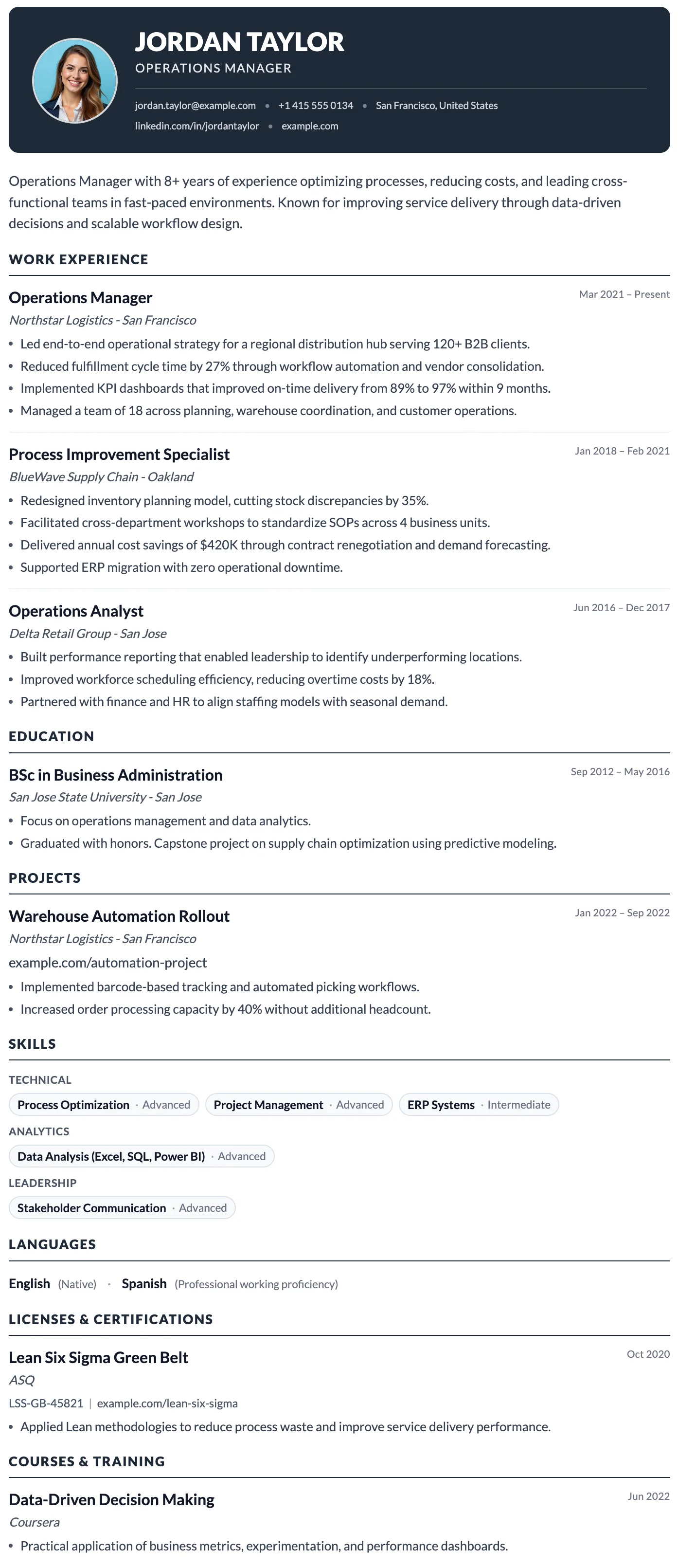
FreeThe Milan template has a bold dark header, photo support, and a clean single-column layout built for strong first impressions.
London
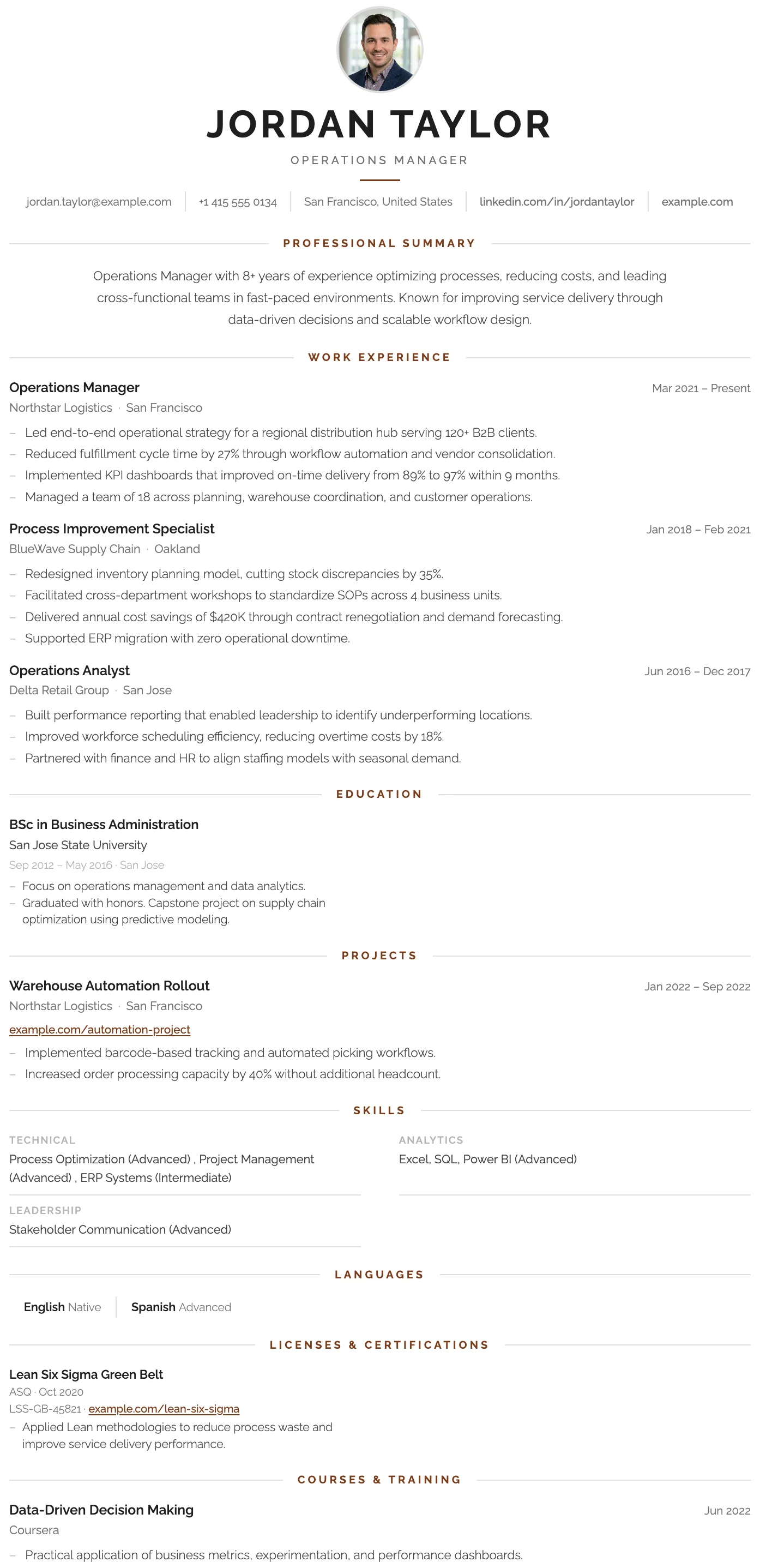
FreeThe London template has a centered bold header, warm rust accent rules, and a structured single-column layout that projects confidence and professional authority.
Vienna
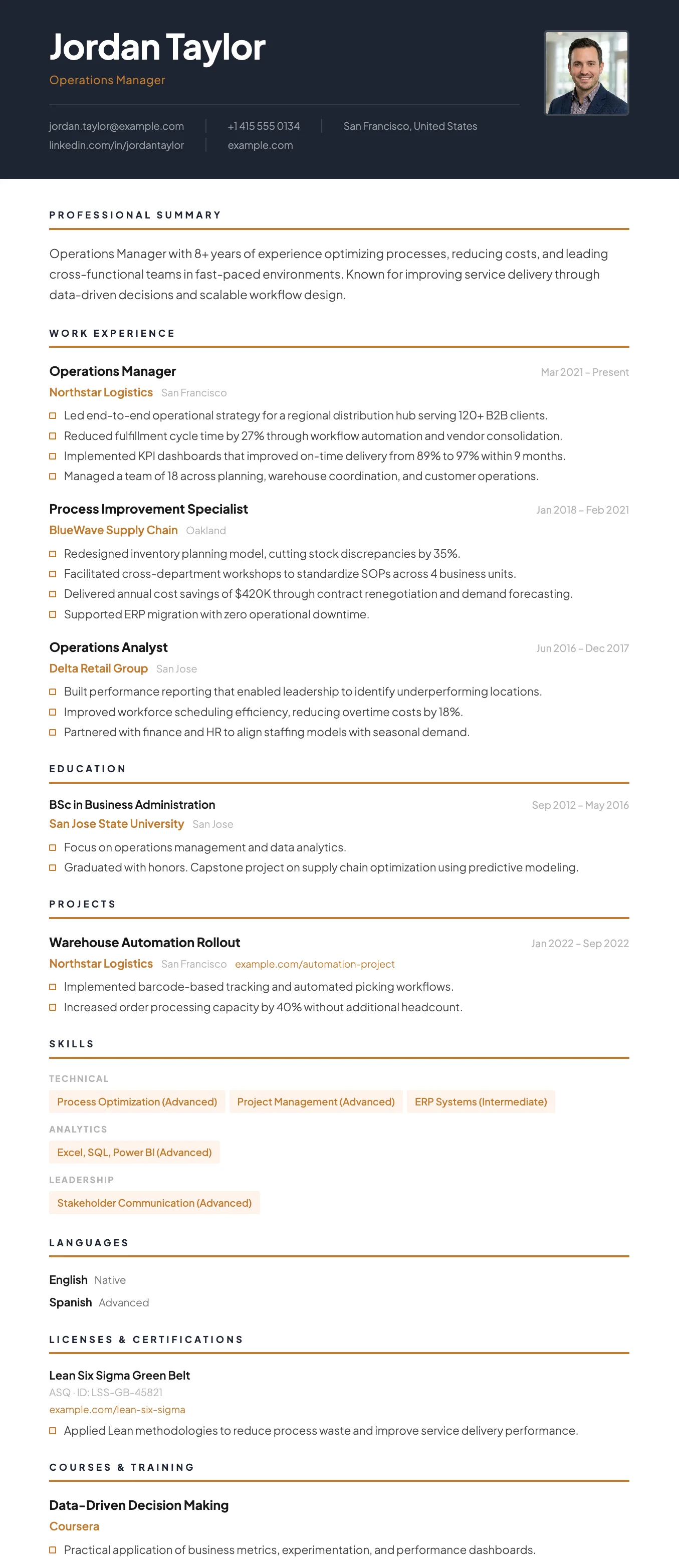
FreeThe Vienna template has a dark navy header, warm gold accent details, and a sharp single-column layout designed for leadership and management roles.
Siena
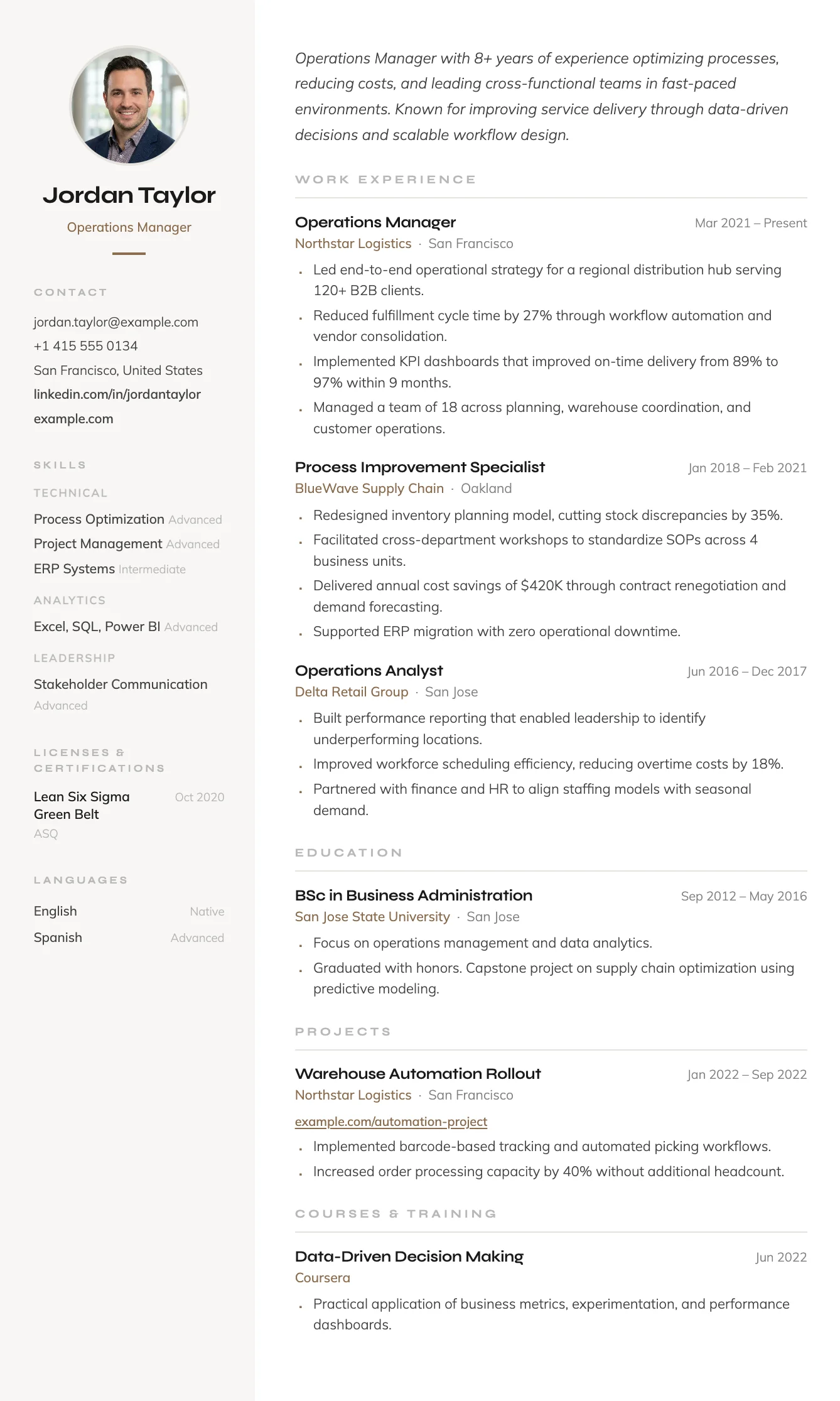
FreeThe Siena template has a warm sidebar, terracotta accent details, and an efficient two-column layout that fits everything in without feeling cluttered.
Madrid
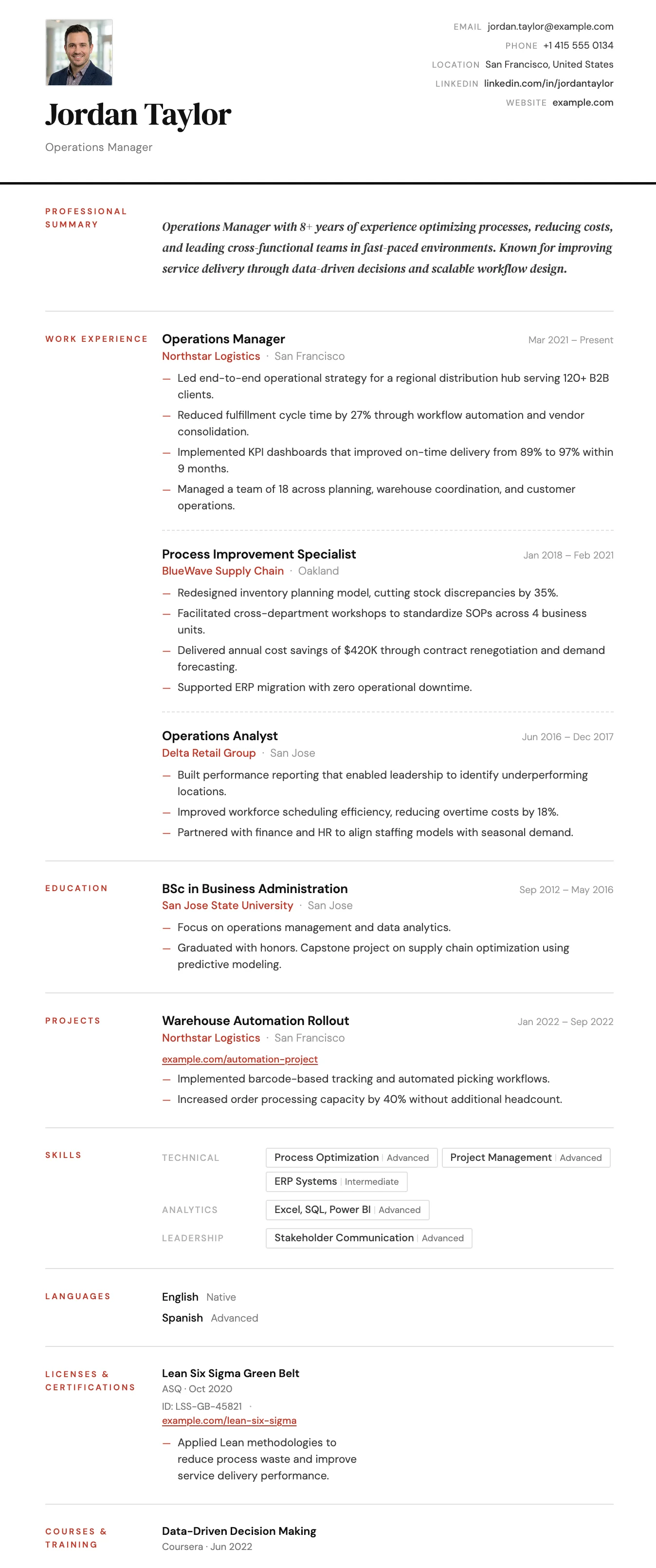
FreeThe Madrid template has striking red section labels, a structured label-column layout, and confident typography that makes a strong and lasting impression.
Verona
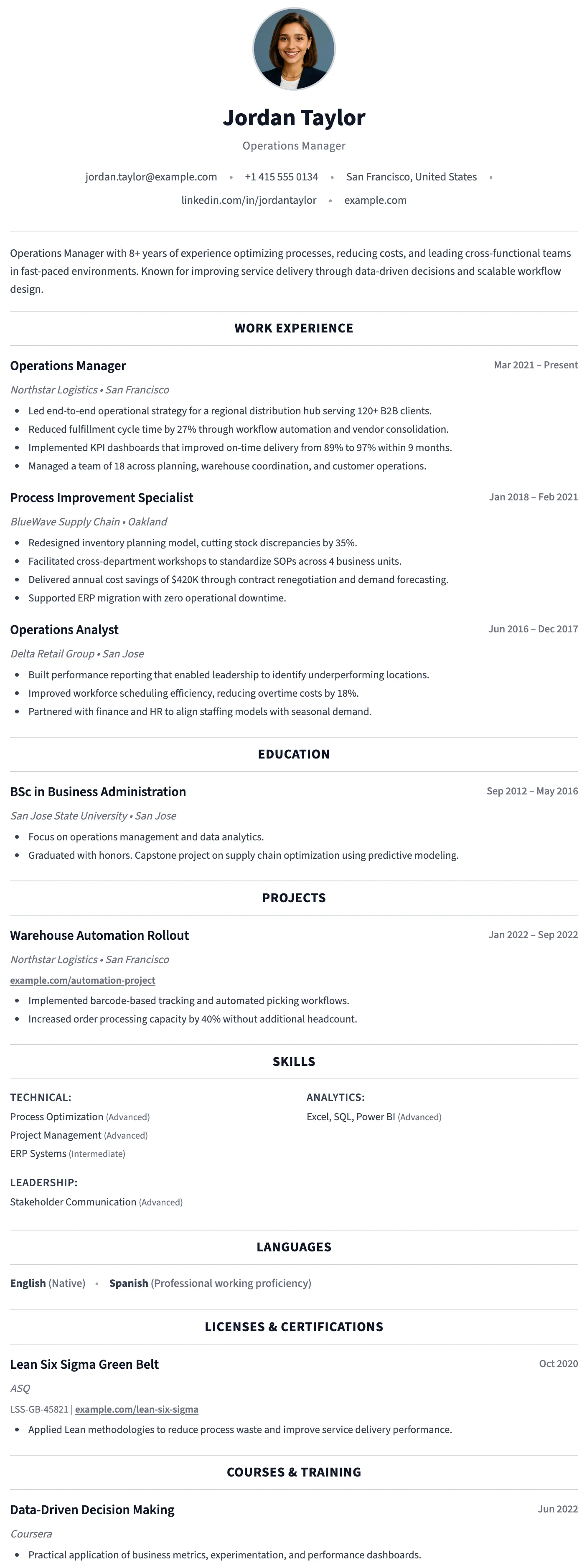
FreeThe Verona template has a symmetrical header, circular photo, and centered section headings that create a balanced, approachable, and elegant layout.
Berlin
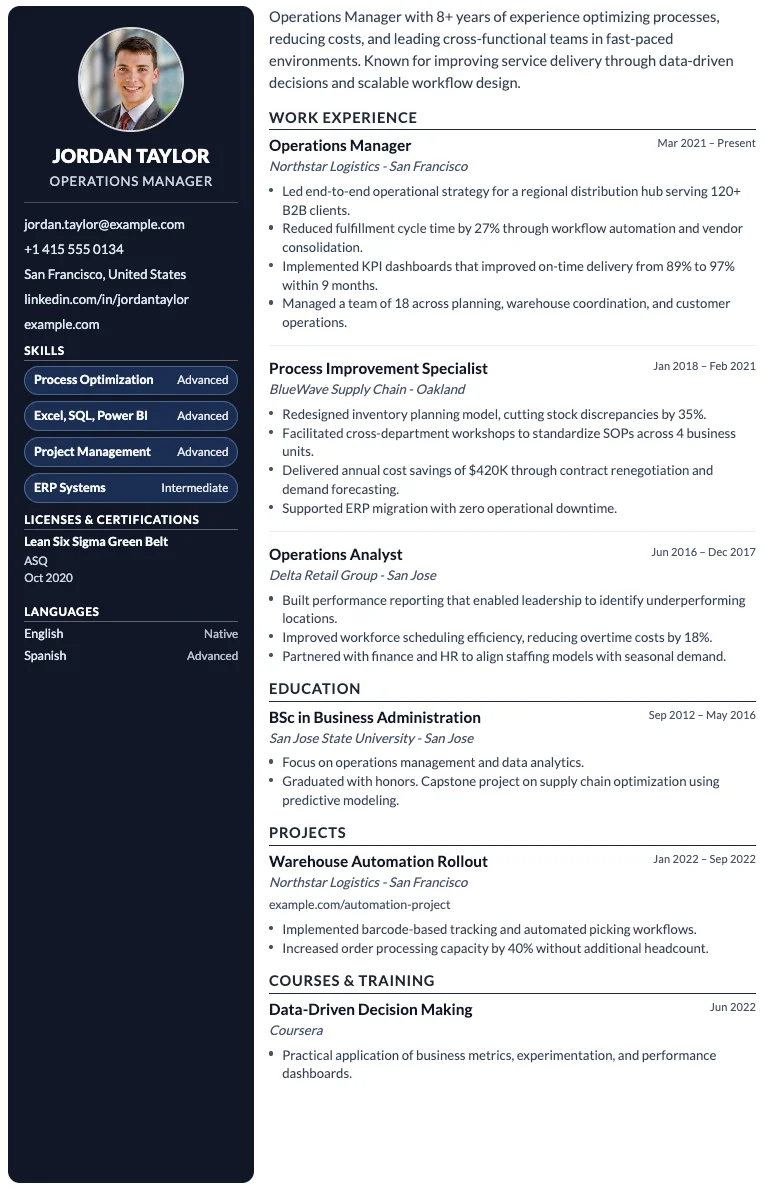
FreeThe Berlin template has a dark sidebar for contact and skills, and a clean main column for experience and education, forming a bold and efficient two-column layout.
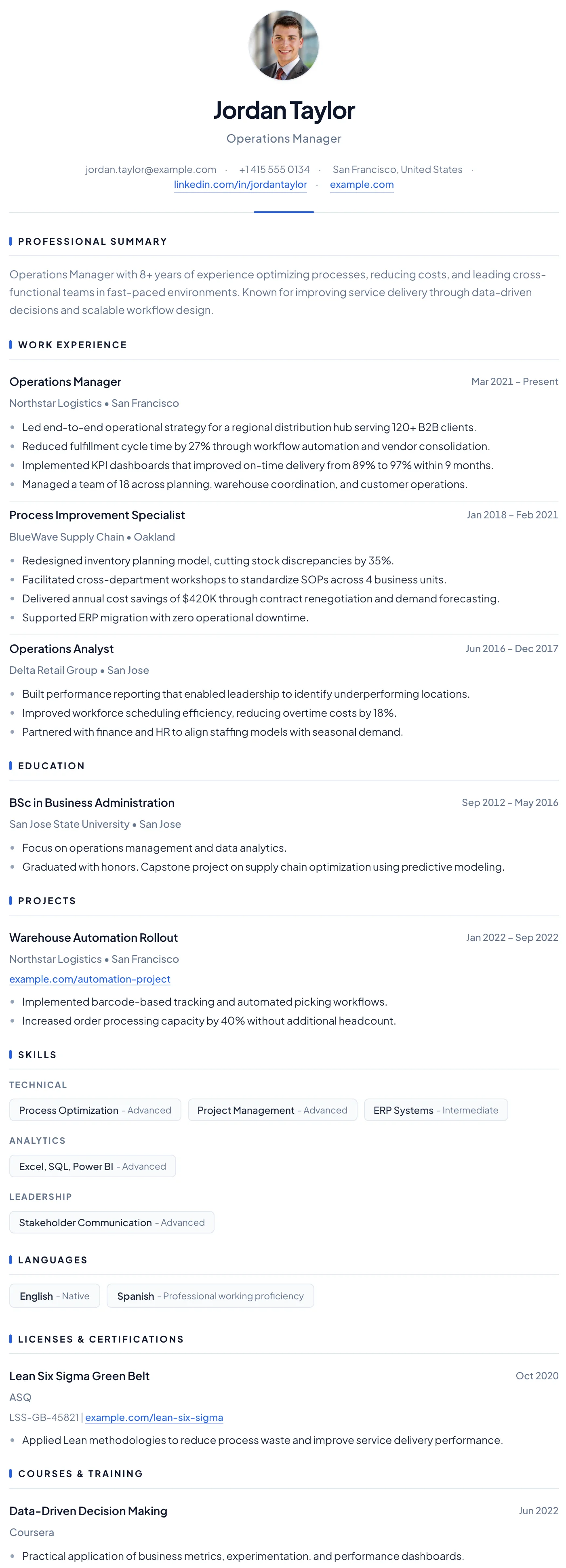
Barcelona
FreeThe Barcelona template has a clean centered header, subtle blue accent details, and a clear single-column layout that makes a confident first impression for early-career professionals.
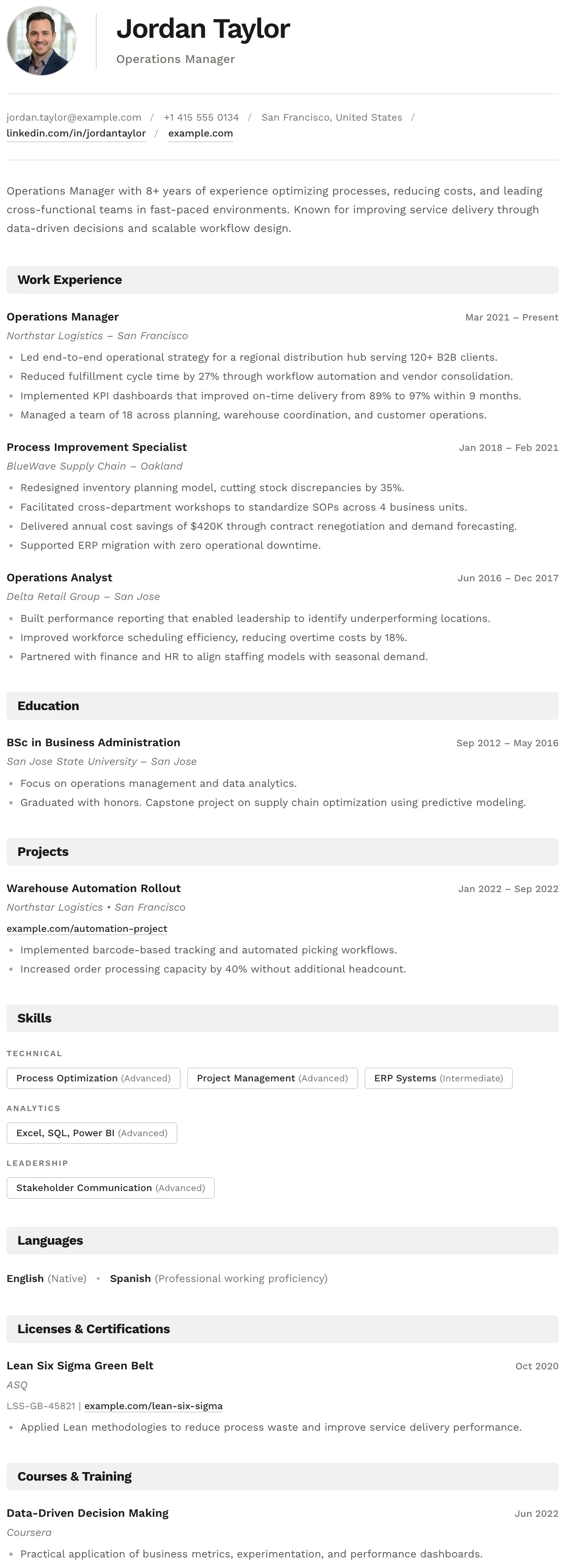
Bern
FreeThe Bern template has a distinctive shaded band on every section heading, creating a well-structured and easy-to-navigate layout with a modern finish.
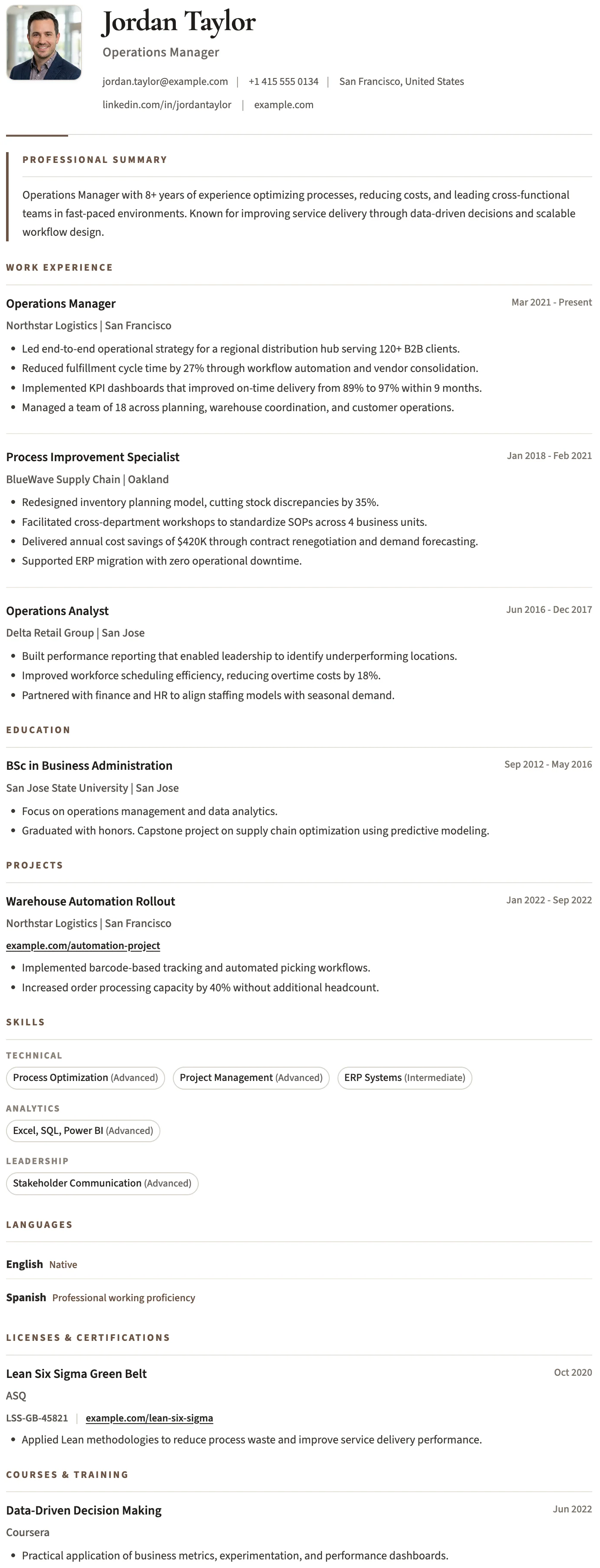
Bristol
FreeThe Bristol template has a clean black and white layout, structured skill tags, and a no-frills design that keeps the focus entirely on your content.
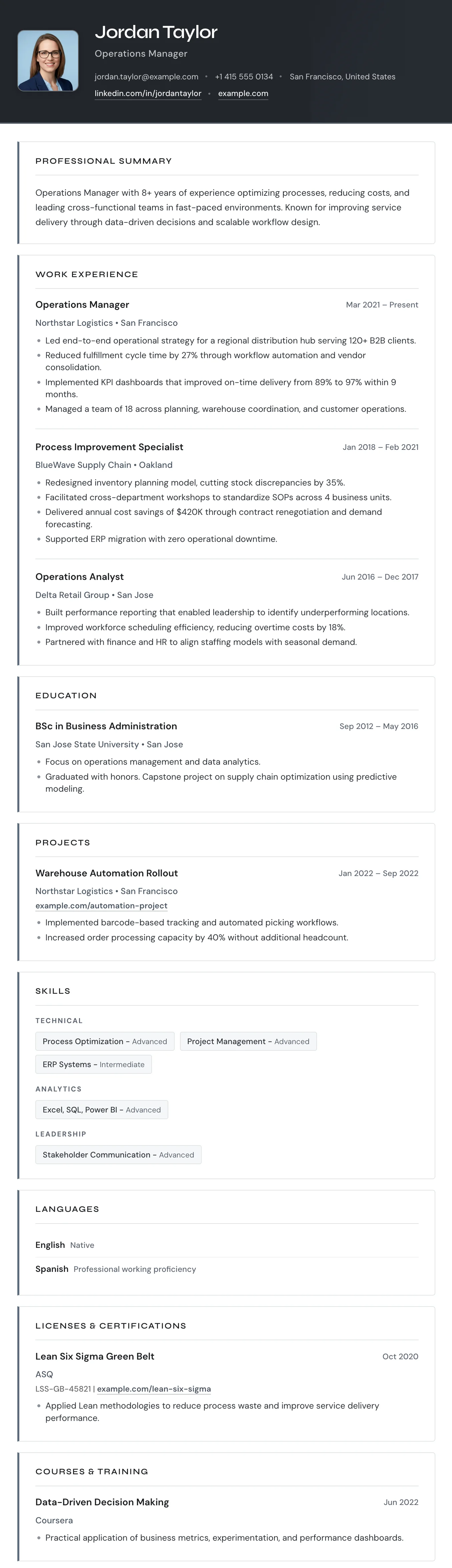
Turin
FreeThe Turin template has a dark header, bordered section boxes, and a single-column layout that organizes your experience with clear visual separation.
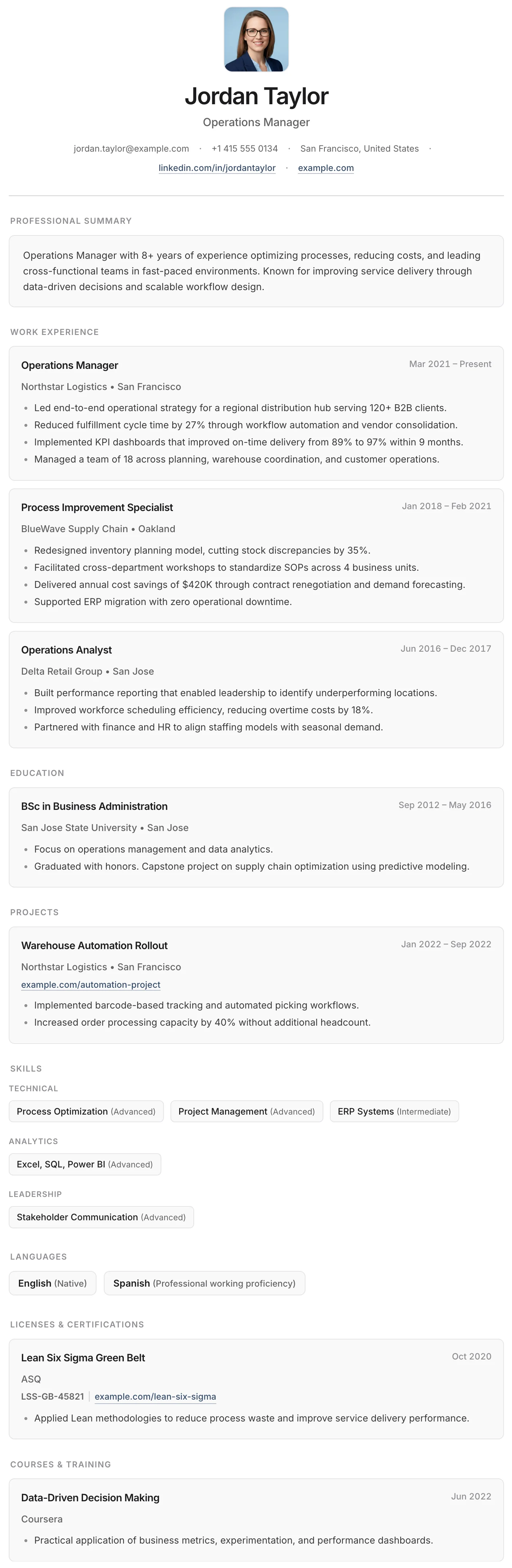
Granada
FreeThe Granada template places each entry in its own rounded card, creating a clean, organized layout that is easy to read and visually distinct.
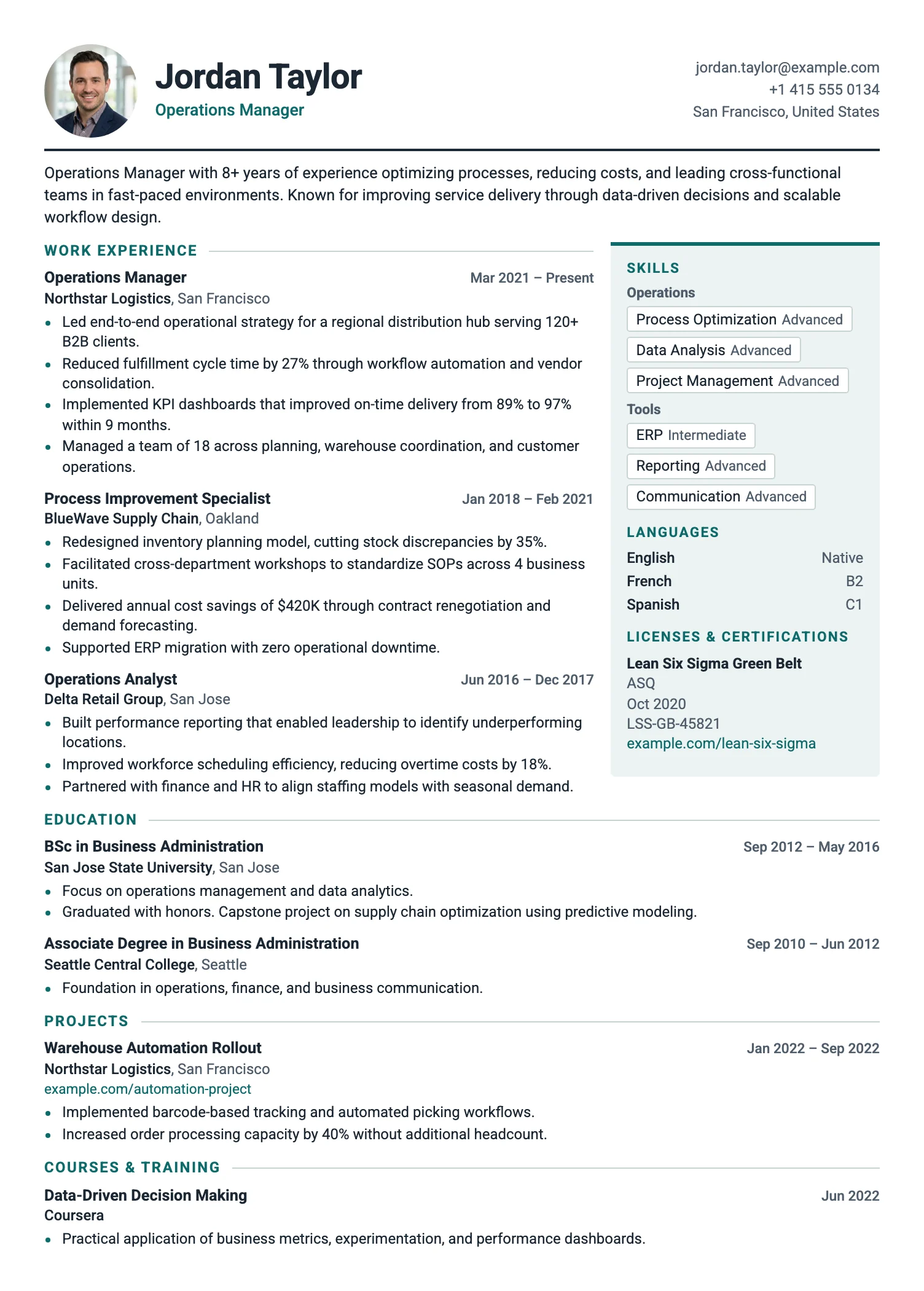
Zurich
FreeThe Zurich template fits more on the page: a slim header, tight spacing, and compact entries. Ideal for long careers and one-page CVs.
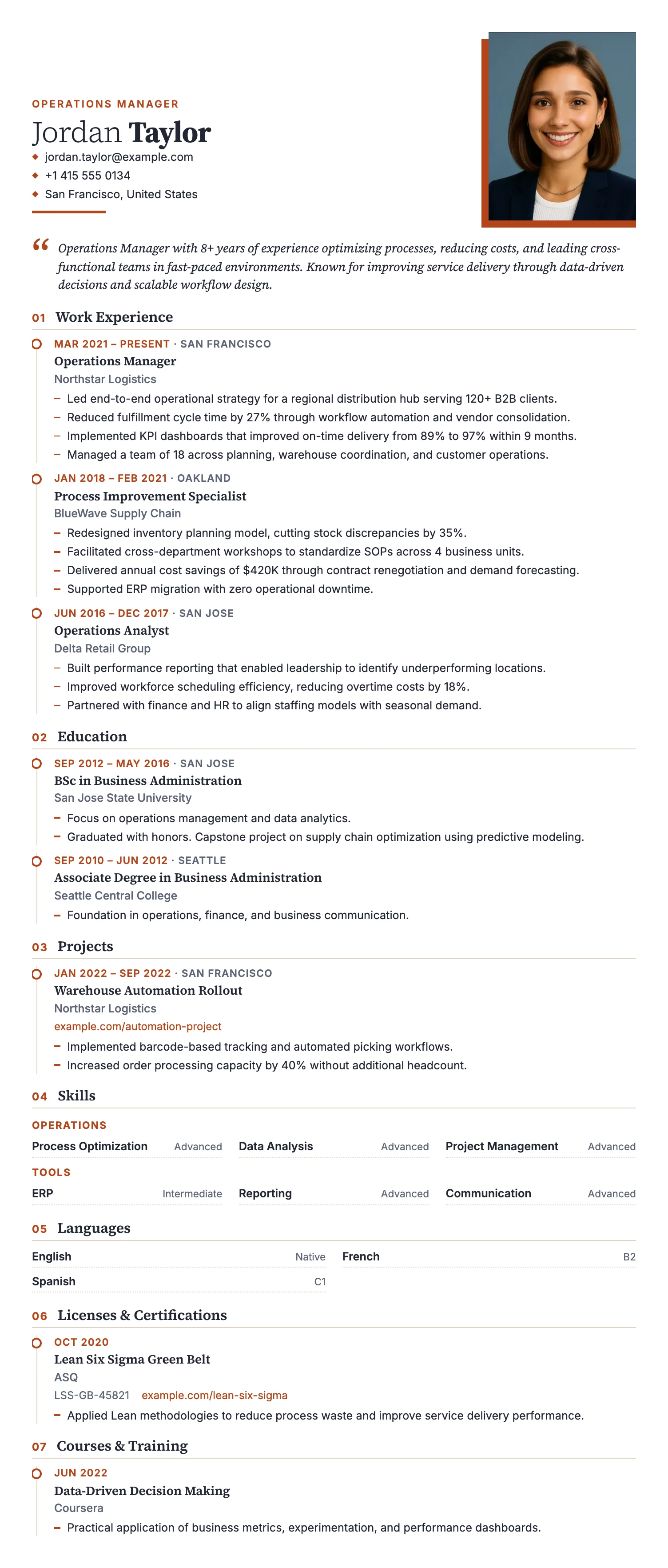
Lisbon
FreeThe Lisbon template puts your photo first, with a large portrait, an elegant serif name, and a warm summary panel. A personal look for roles where first impressions count.
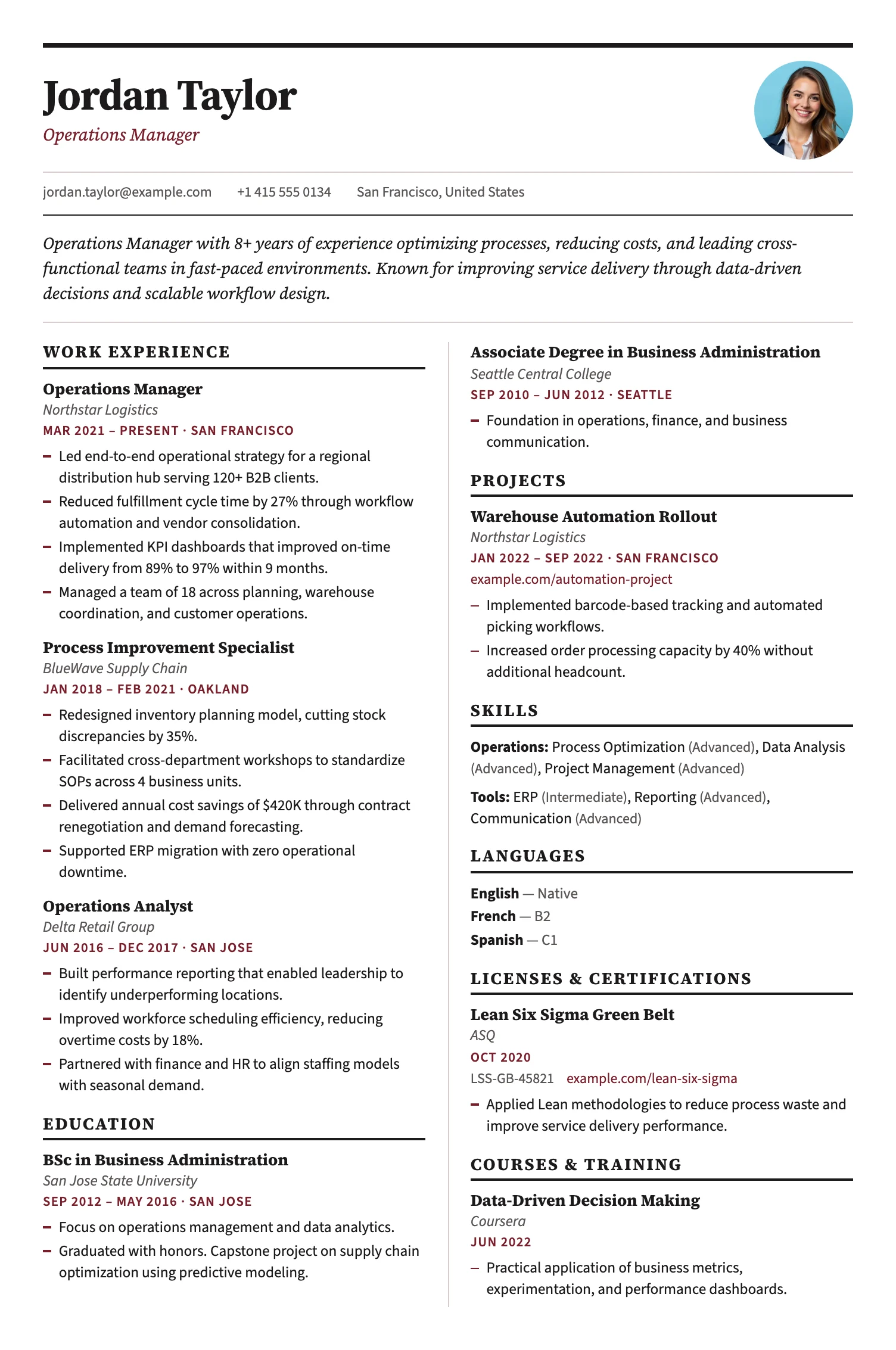
Amsterdam
FreeThe Amsterdam template sets your CV like a newspaper: a bold masthead, then two balanced columns that use the page fully. A compact, structured layout for experienced candidates with many short entries.
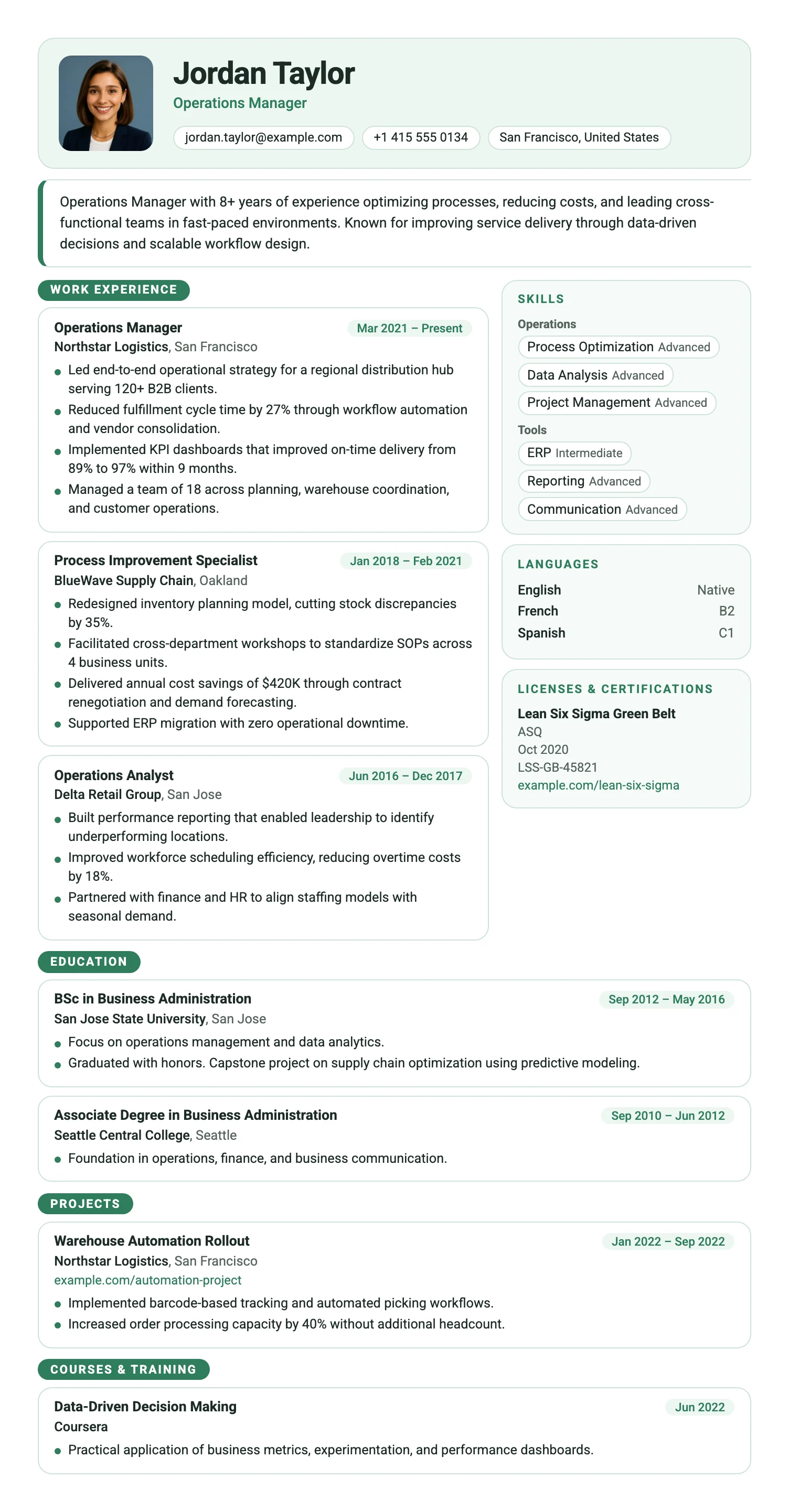
Copenhagen
FreeThe Copenhagen template arranges your CV in clean rounded modules: an entry card for every role beside separate boxes for skills, languages and certificates. Modern, scannable and easy to navigate.
Milan
FreeThe Milan template has a bold dark header, photo support, and a clean single-column layout built for strong first impressions.
London
FreeThe London template has a centered bold header, warm rust accent rules, and a structured single-column layout that projects confidence and professional authority.
Vienna
FreeThe Vienna template has a dark navy header, warm gold accent details, and a sharp single-column layout designed for leadership and management roles.
Siena
FreeThe Siena template has a warm sidebar, terracotta accent details, and an efficient two-column layout that fits everything in without feeling cluttered.
Madrid
FreeThe Madrid template has striking red section labels, a structured label-column layout, and confident typography that makes a strong and lasting impression.
Verona
FreeThe Verona template has a symmetrical header, circular photo, and centered section headings that create a balanced, approachable, and elegant layout.
Berlin
FreeThe Berlin template has a dark sidebar for contact and skills, and a clean main column for experience and education, forming a bold and efficient two-column layout.
Barcelona
FreeThe Barcelona template has a clean centered header, subtle blue accent details, and a clear single-column layout that makes a confident first impression for early-career professionals.
Bern
FreeThe Bern template has a distinctive shaded band on every section heading, creating a well-structured and easy-to-navigate layout with a modern finish.
Bristol
FreeThe Bristol template has a clean black and white layout, structured skill tags, and a no-frills design that keeps the focus entirely on your content.
Turin
FreeThe Turin template has a dark header, bordered section boxes, and a single-column layout that organizes your experience with clear visual separation.
Granada
FreeThe Granada template places each entry in its own rounded card, creating a clean, organized layout that is easy to read and visually distinct.
Zurich
FreeThe Zurich template fits more on the page: a slim header, tight spacing, and compact entries. Ideal for long careers and one-page CVs.
Lisbon
FreeThe Lisbon template puts your photo first, with a large portrait, an elegant serif name, and a warm summary panel. A personal look for roles where first impressions count.
Amsterdam
FreeThe Amsterdam template sets your CV like a newspaper: a bold masthead, then two balanced columns that use the page fully. A compact, structured layout for experienced candidates with many short entries.
Copenhagen
FreeThe Copenhagen template arranges your CV in clean rounded modules: an entry card for every role beside separate boxes for skills, languages and certificates. Modern, scannable and easy to navigate.
Which modern CV template should you choose?
Technology and software
Clean layouts with room for technical skills, tools, and project outcomes.
Marketing and product
Contemporary layouts with visual polish for brand, growth, and product roles.
Finance and strategy
A current but structured look for consulting, banking, and corporate environments.
What makes a CV template modern?
A modern CV template uses clear typography, restrained color, and visual hierarchy to make your information easy to scan. It should look current without distracting from your experience.
Modern templates suit technology, marketing, product, finance, and many office roles. They are a good choice when you want a professional document with more visual character than a traditional layout.
All MojCV modern templates can be customized and downloaded as a PDF for free. No account or subscription is required.
Create your CV for free
Add your details, customize your CV, and download the finished PDF when you are ready.
Free PDF download. No account. No credit card.