Free. No account needed.
Create Your CV and Download It as Word
Create your CV online and download it as an editable Word file (.docx). Choose a template, enter your details in the editor, and your CV is laid out and ready to edit in Word or Google Docs. You can download the same CV as a PDF too.
Start your CV
Enter your name and choose a language. The editor opens right away.
Pick a template for your Word CV
Choose from 19 templates that download as an editable Word file and as a PDF, or see all Word CV templates.
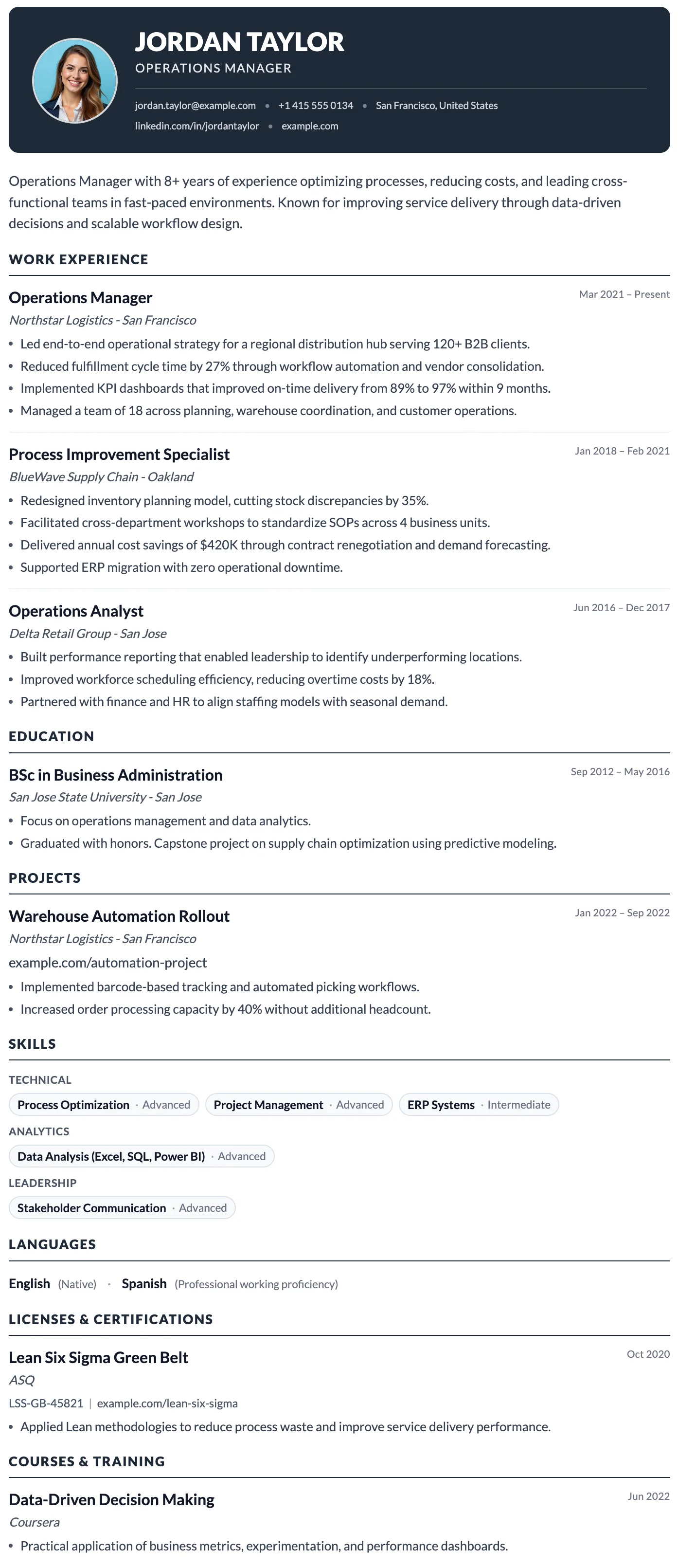
Milan
FreeThe Milan template has a bold dark header, photo support, and a clean single-column layout built for strong first impressions.
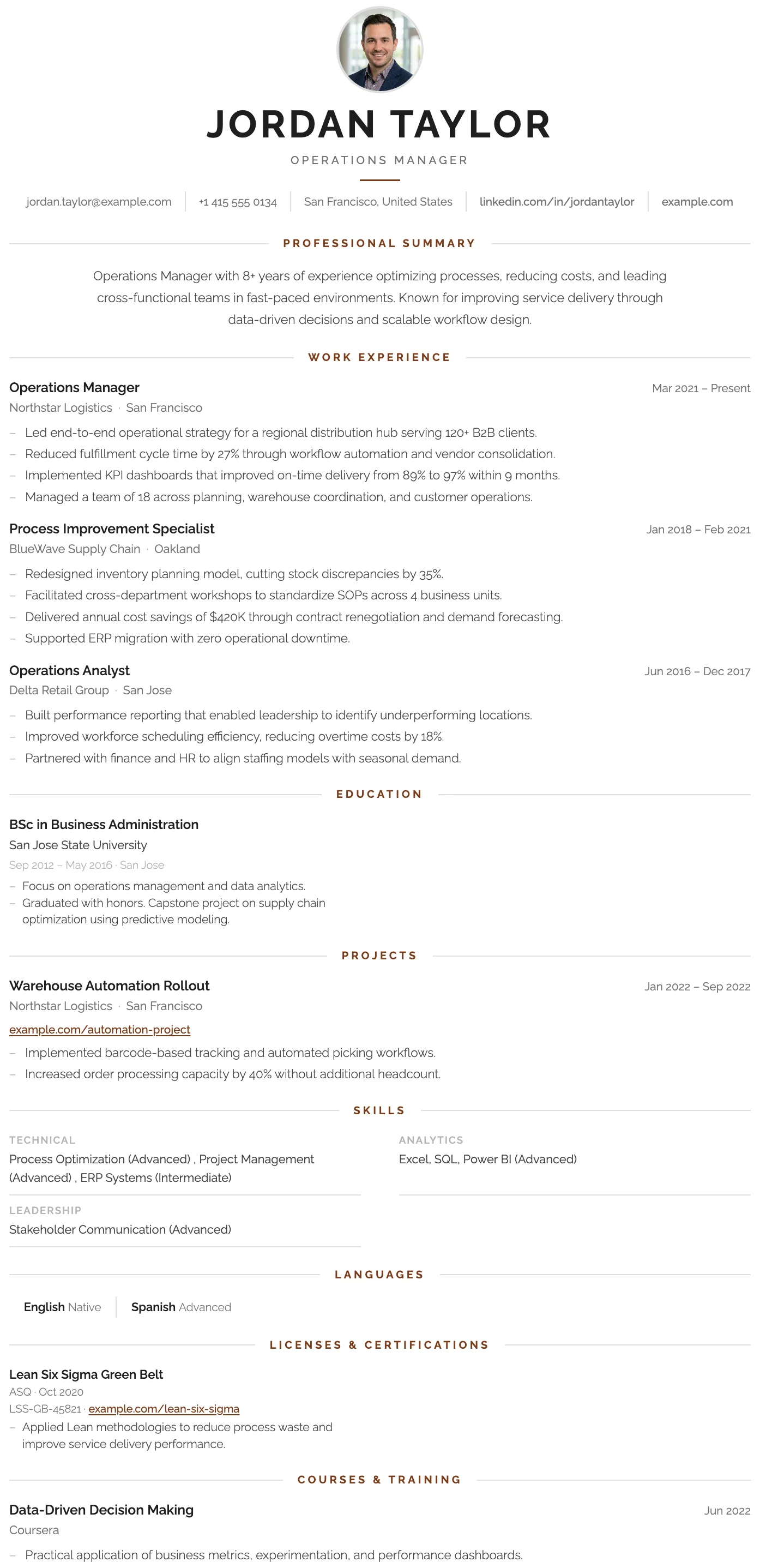
London
FreeThe London template has a centered bold header, warm rust accent rules, and a structured single-column layout that projects confidence and professional authority.
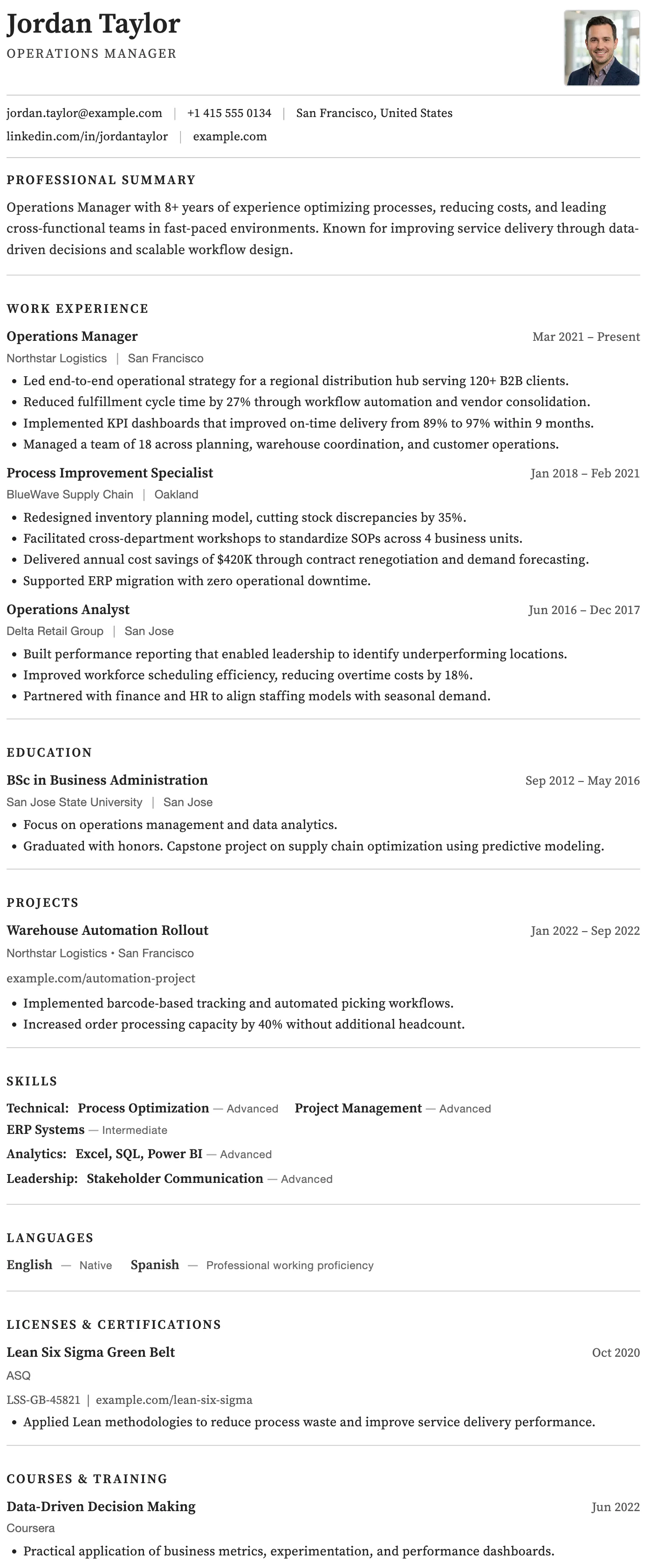
Rome
FreeThe Rome template has a timeless clean black and white layout, generous spacing, and traditional section structure trusted across all industries.
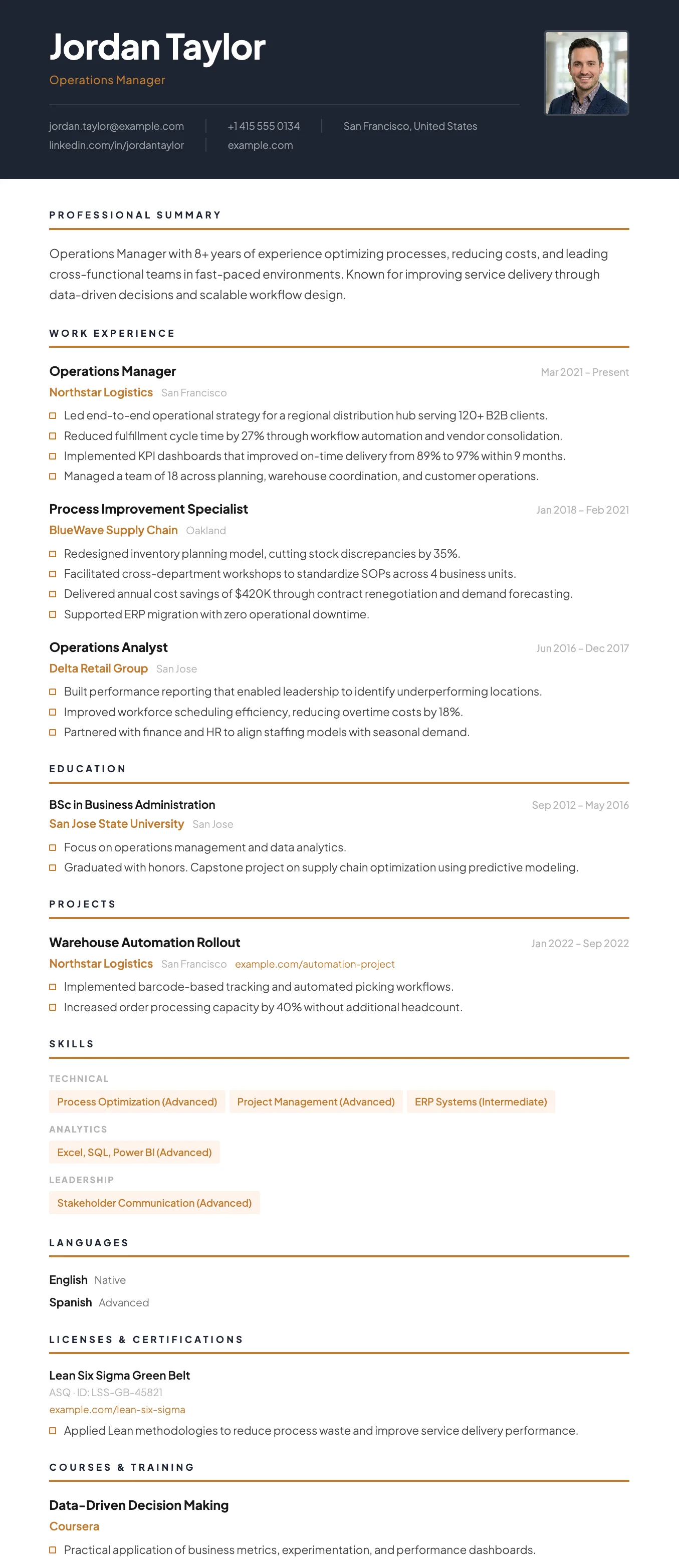
Vienna
FreeThe Vienna template has a dark navy header, warm gold accent details, and a sharp single-column layout designed for leadership and management roles.
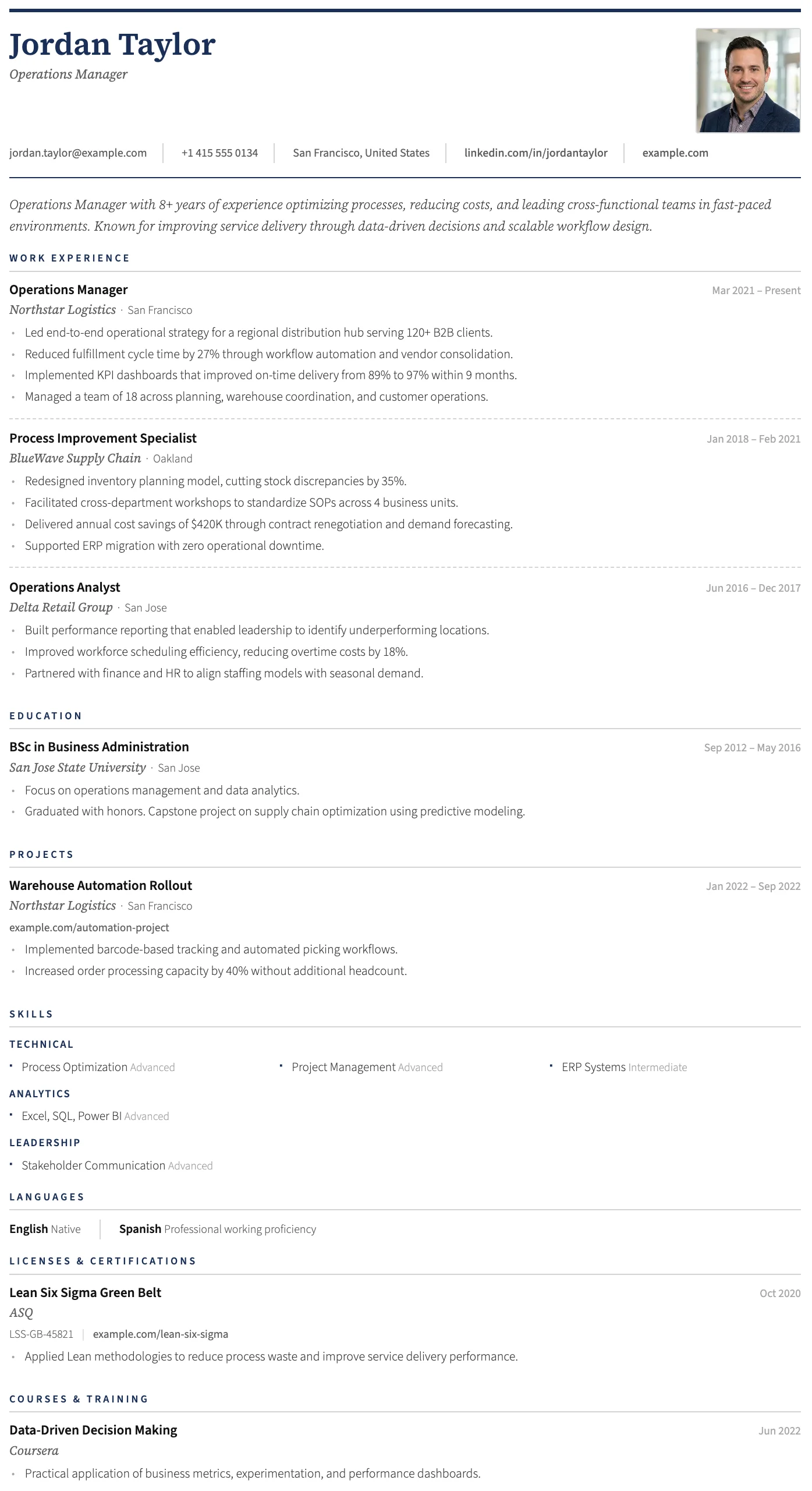
Geneva
FreeThe Geneva template has a structured header, photo placement, and a refined single-column layout suited to traditional and senior professional applications.
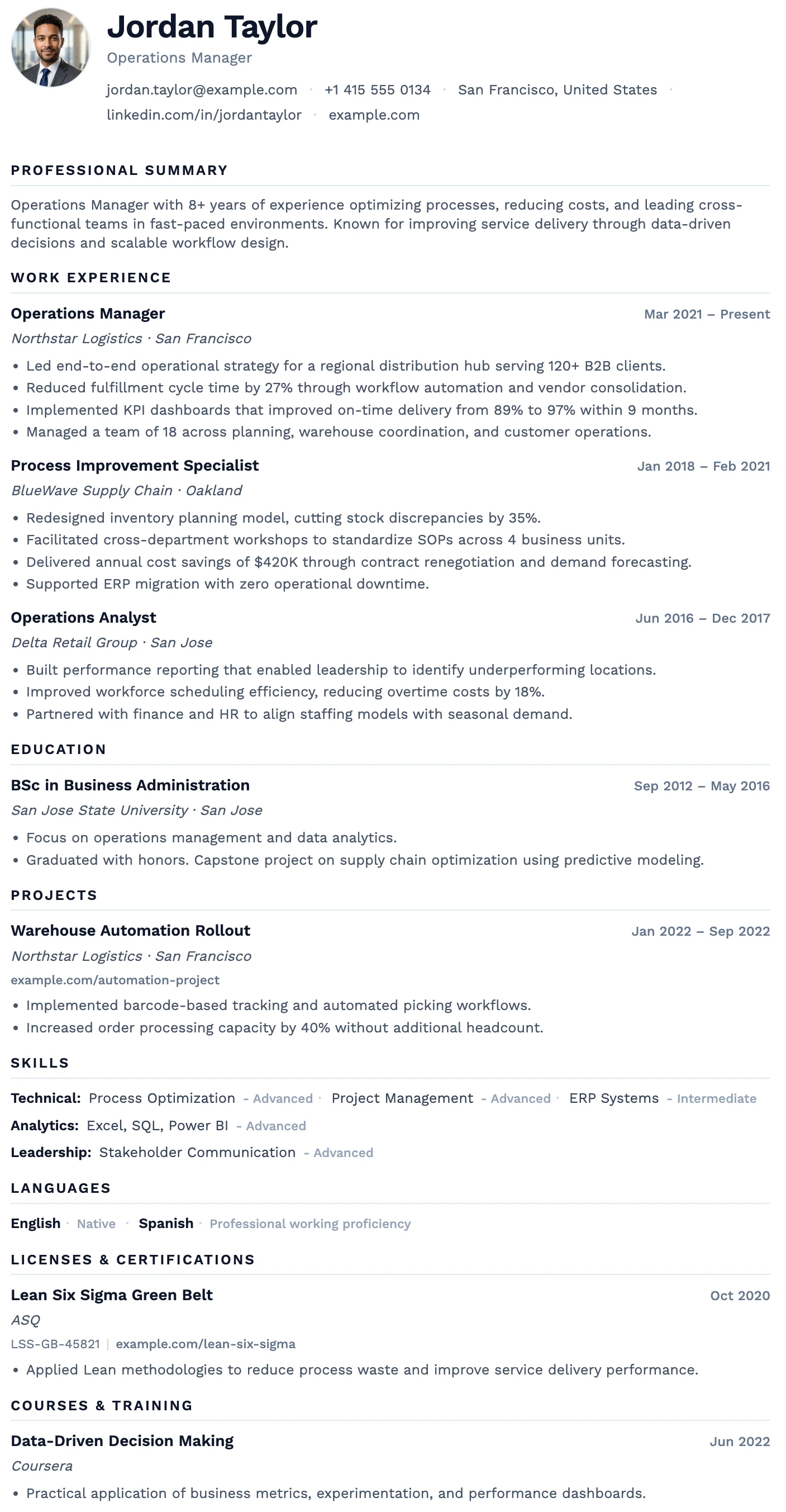
Oslo
FreeThe Oslo template has a quiet, understated layout, soft typography, and just enough structure to keep everything clear and easy to read.
Milan
FreeThe Milan template has a bold dark header, photo support, and a clean single-column layout built for strong first impressions.
London
FreeThe London template has a centered bold header, warm rust accent rules, and a structured single-column layout that projects confidence and professional authority.
Rome
FreeThe Rome template has a timeless clean black and white layout, generous spacing, and traditional section structure trusted across all industries.
Vienna
FreeThe Vienna template has a dark navy header, warm gold accent details, and a sharp single-column layout designed for leadership and management roles.
Geneva
FreeThe Geneva template has a structured header, photo placement, and a refined single-column layout suited to traditional and senior professional applications.
Oslo
FreeThe Oslo template has a quiet, understated layout, soft typography, and just enough structure to keep everything clear and easy to read.
How to create a CV and download it as a Word file (.docx)
The Word file is created from the CV you write in the online editor. You do not need Microsoft Word to create the CV, only to open the file afterward.
1. Create your CV
Enter your name and choose a language. The editor opens without an account or email address. Add your work experience, education, and skills, or start from an example CV.
Start your CV2. Choose a Word template
Pick a template with a Word download. Your details stay in place when you switch templates, so you can try several. Word templates show a Word icon on their card.
3. Download the Word file
Select Download Word. The .docx file opens in Microsoft Word, Google Docs, LibreOffice, and other programs that read .docx. Edit it as often as you need.
What you get in your downloaded Word CV
The Word file is built to be edited, not just viewed.
Real, editable text
Every line is text you can select and change in Word or Google Docs. Nothing in the file is an image of your CV.
Standard Word formatting
Headings, dates, and bullet points use normal Word styles and real bullet lists. You can restyle the whole document from the Styles pane in Word.
Single-column layouts
Word is built for text that flows from top to bottom, so the Word templates use one clean column. Sidebar and two-column templates are available as PDF.
Your CV language
Section headings and dates follow the language of your CV, in the Word file as well as in the PDF.
No watermark
The Word file contains only your CV. There is no logo, footer text, or watermark.
Free, unlimited downloads
Download the Word file and the PDF as many times as you want, with no payment step and no account.
Word CV or PDF: which should you send?
You get both from the same CV. Which one to use depends on what the employer asks for and whether you want to keep editing.
What you get with a Word CV template
A Word CV template is a CV layout saved as a .docx file that you edit in Microsoft Word or a compatible program. You enter your details once in the online editor, and the Word file is created with your content already in place and the formatting done for you.
Each Word template follows the look of its PDF as closely as the format allows, with the same content, headings, and section order. Each of the 19 Word templates is a professionally designed single-column layout with standard headings, dates, and bullet lists, which keeps the document reliable when it opens in Word, Google Docs, or LibreOffice.
The Word files use Calibri, Cambria, Georgia, or Arial, fonts that come with Microsoft Word, so the document looks the same on most computers.
Questions about creating a CV in Word
Can I create a CV and download it as a Word file for free?
Is this a blank Word template I can fill in?
Which templates can I download as a Word file?
Does the Word file look the same as the PDF?
Can I open the Word file in Google Docs?
Do I need Microsoft Word to create a CV online?
Can applicant tracking systems read a Word CV or a PDF from here?
Can I download both a Word file and a PDF?
Create your CV and download it as a Word file
Enter your name, choose a template, and download the .docx. Free, with no account.